
Pricing Table
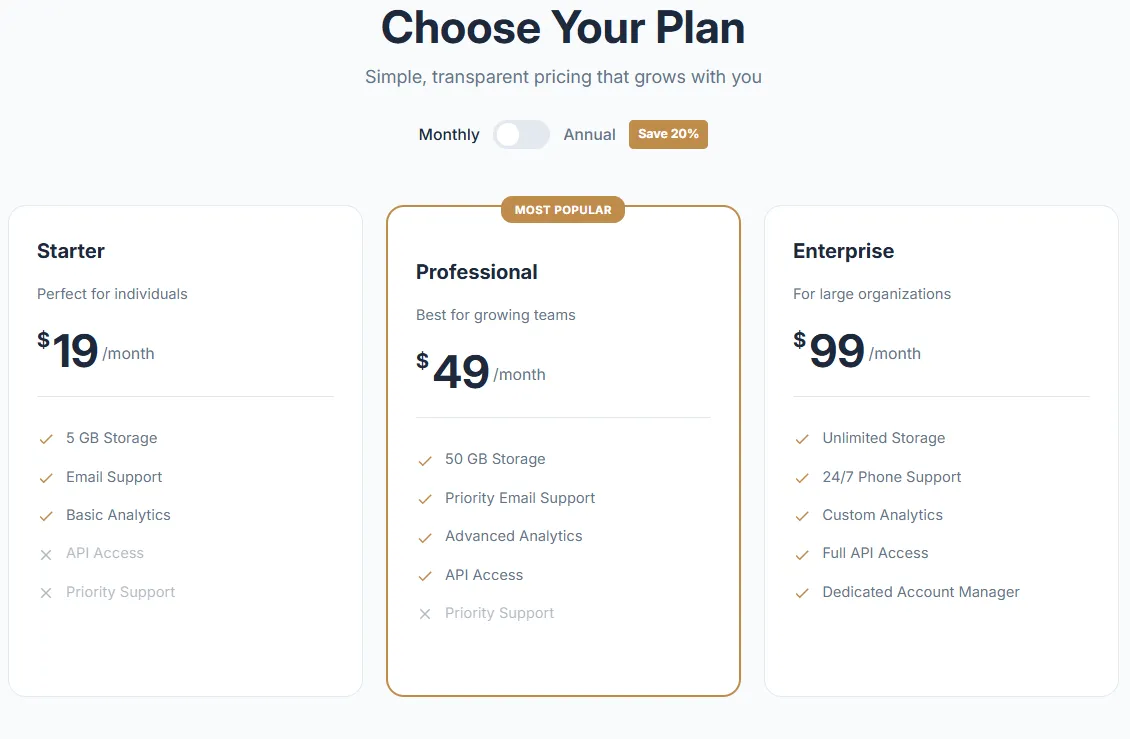
Pricing Table
Clean pricing cards with monthly/yearly toggle, featured plan highlighting, feature lists with checkmarks, and CTA buttons. Supports 2-4 pricing tiers with customizable colors.
- Price
- Free
- Category
- Comparison Tables
- Merchant installs
- 18
- Works with
- Any OS 2.0 theme
Installs via the Section Shop app · shows as “SShop:Pricing Table” in your editor
- pricing
- plans
- subscription
- toggle
- monthly yearly
- features list
How to add Pricing Table to your store
- 1
Install Section Shop
Get the free app from the Shopify App Store — takes one click.
- 2
Add “Pricing Table”
Find it in the Comparison Tables category and click Add to theme.
- 3
Customize in your editor
It appears as “SShop:Pricing Table” — edit text, images, colors and fonts, then save.
More comparison tables sections
View all →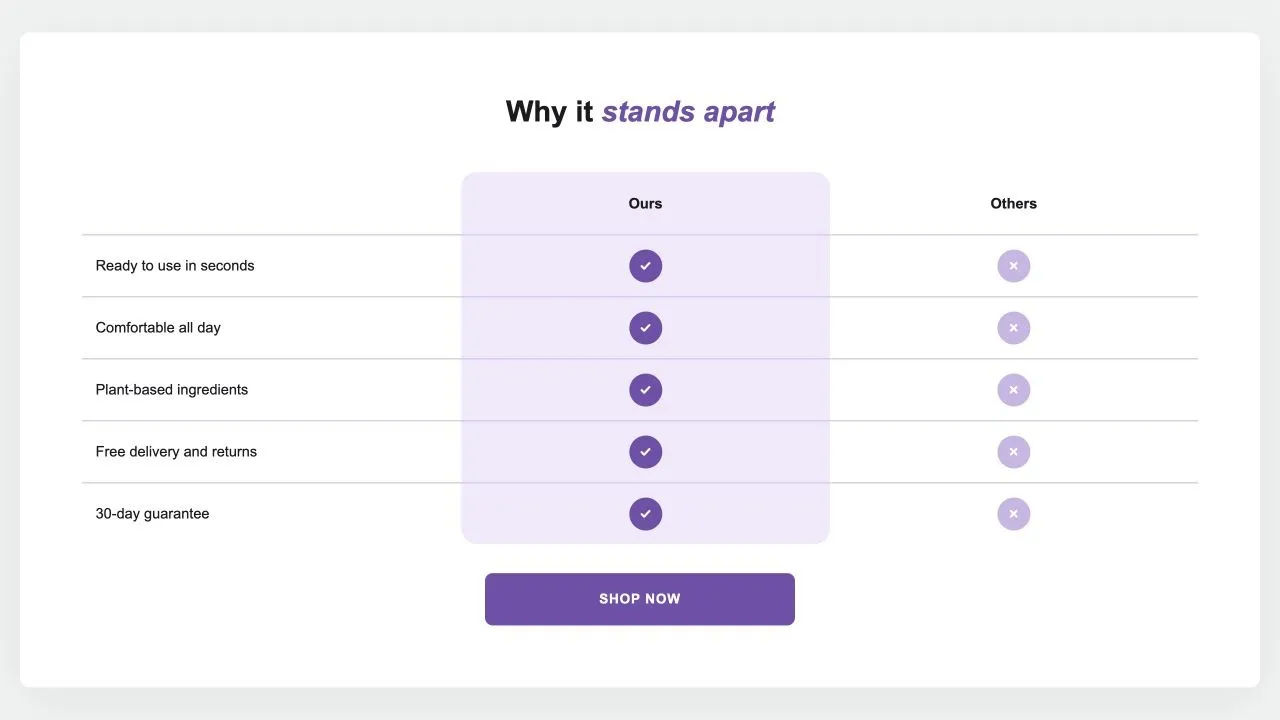 Free
Free Comparison Table 1
24 installsComparison Tables
Your product against the alternatives in a real table: a tinted or framed column with a tick on every row, crosses or words for the others, an optional third column and a button underneath. {title} in the words becomes the product's title.
View section →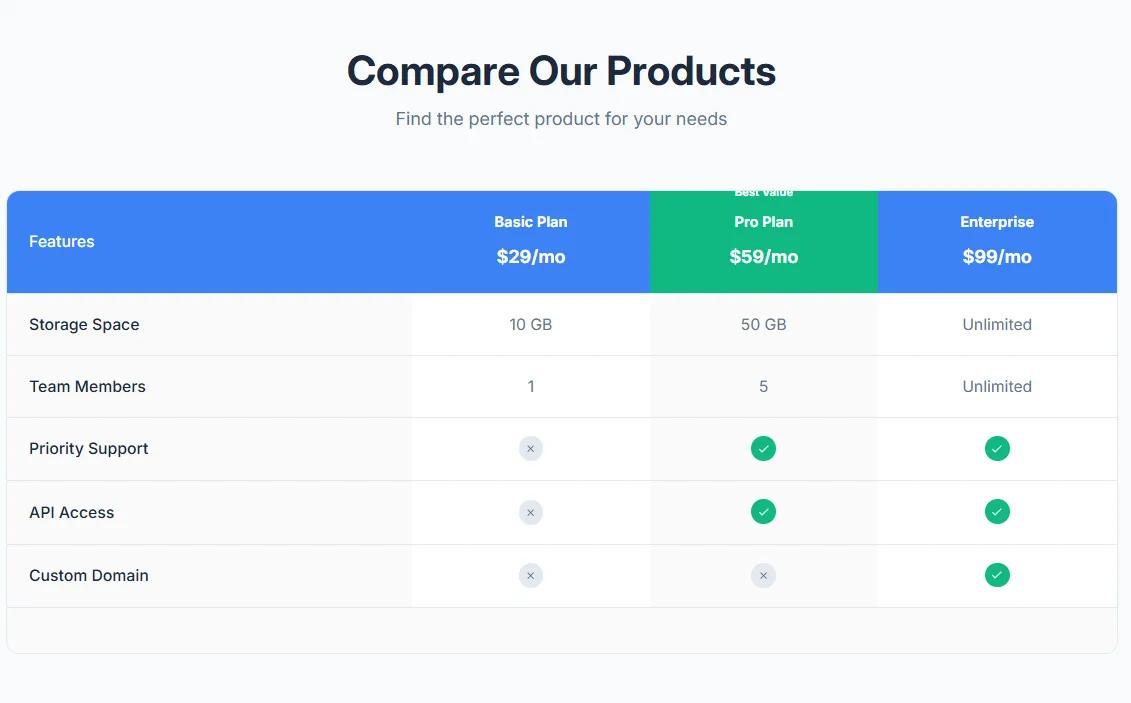 Free
Free Product Comparison Table
17 installsComparison Tables
Compare multiple products side by side with features table. Product images, prices, feature rows with check/X icons, highlighted recommended product, and mobile-responsive with sticky first column.
View section →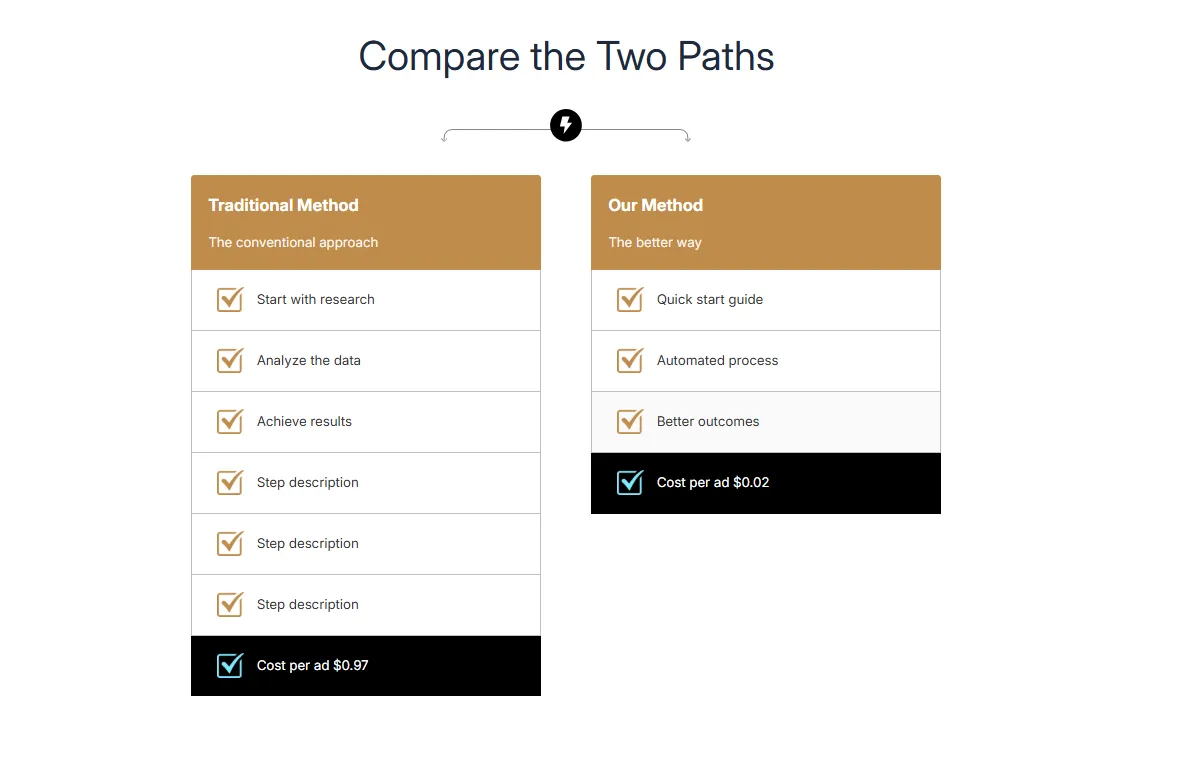 Free
Free Dual Flow Comparison
Comparison Tables
Compare two processes or paths side by side with step-by-step flow. Headers with images, numbered steps, and highlighted final result. Perfect for Old Way vs New Way comparisons.
View section →