
Product Tiles 1
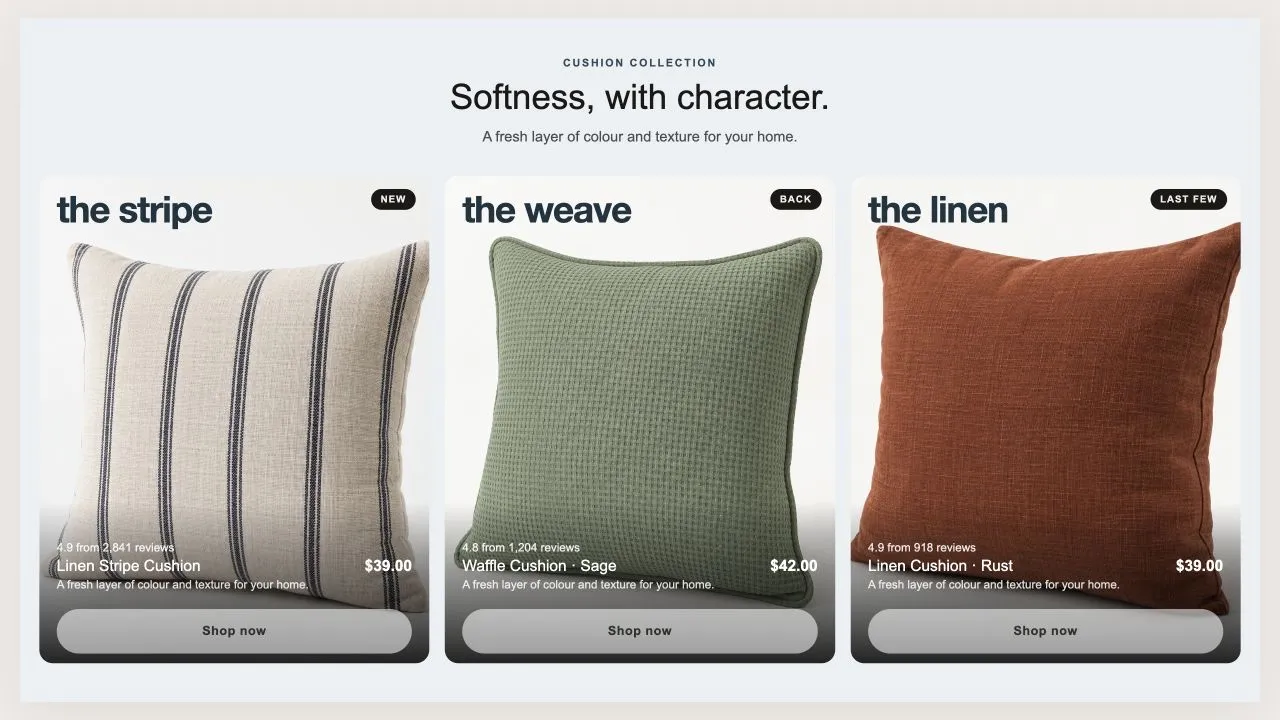
Product Tiles 1
Three tall tiles, each carrying one product under a big display word. The photo flips on hover when a second one is set, and the caption trades places with the buy button. On a phone the caption can sit on the photo or under it, and the text is contrast-checked for whichever you choose.
- Price
- Free
- Category
- Product Showcases
- Merchant installs
- 6
- Works with
- Any OS 2.0 theme
Installs via the Section Shop app · shows as “SShop:Product Tiles 1” in your editor
- product tiles
- hover flip
- display type
- editorial
- lifestyle
- badge
How to add Product Tiles 1 to your store
- 1
Install Section Shop
Get the free app from the Shopify App Store — takes one click.
- 2
Add “Product Tiles 1”
Find it in the Product Showcases category and click Add to theme.
- 3
Customize in your editor
It appears as “SShop:Product Tiles 1” — edit text, images, colors and fonts, then save.
More product showcases sections
View all →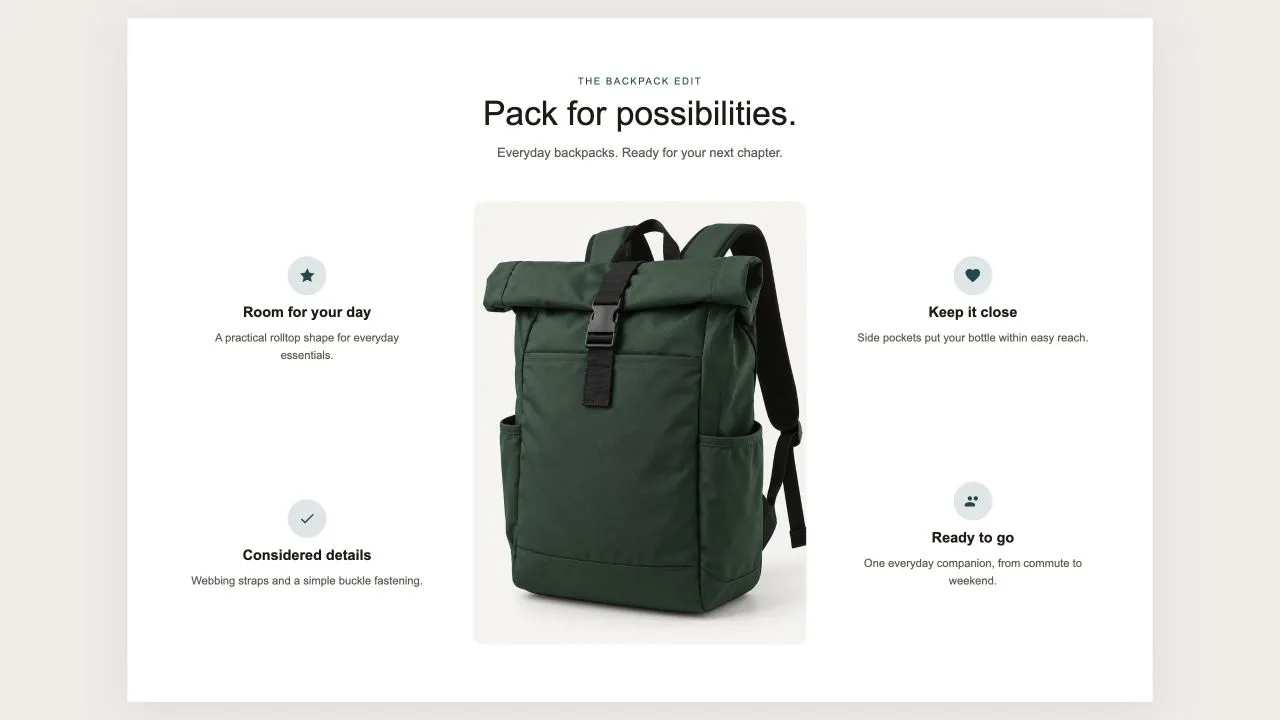 Free
Free Product Callouts 1
Product Showcases
One photo in the middle and the reasons to buy set around it, half on each side, each with an icon from the shared set or your own, a title and a line of text. On a product page the photo can be the product's own until you pick another, and on phones the callouts fall into a tidy grid under the picture.
View section →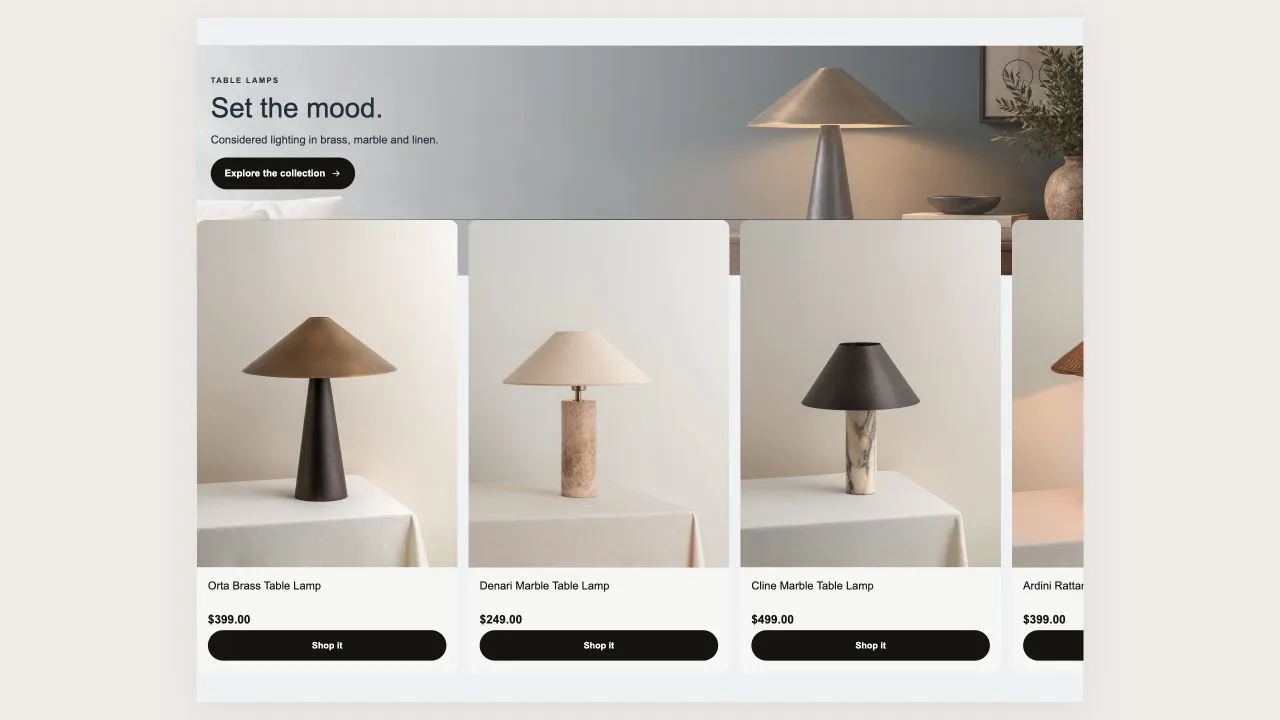 Free
Free Product Banner 2
Product Showcases
The restrained treatment of the same shape: a light banner, one button per card, no glow, and the arrows on the banner itself rather than in a strip under the row. A lit seam is drawn where the cards meet the banner, so the overlap reads as placed rather than cropped.
View section →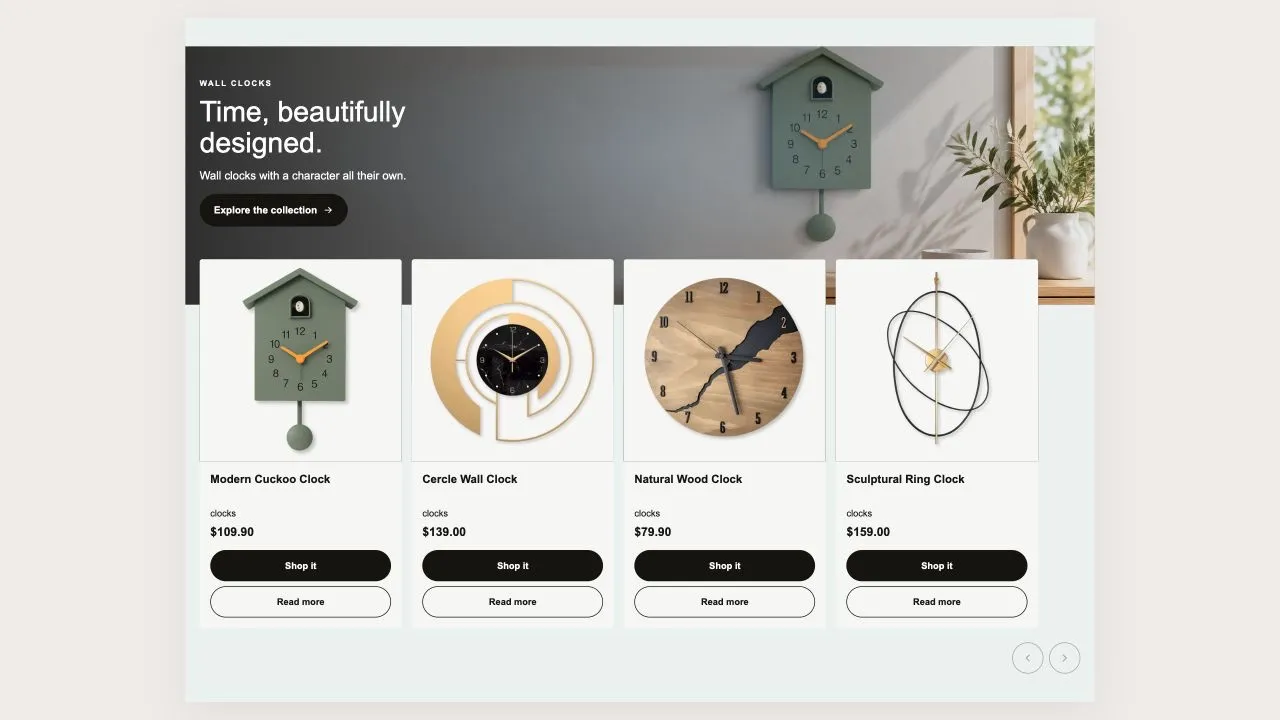 Free
Free Product Banner 1
Product Showcases
A wide banner with the message on it and the product cards tucked up over its bottom edge, so the two read as one object rather than two stacked blocks. Two buttons per card — one to buy, one to read more — and a coloured glow behind the banner photo.
View section →