
Shoppable Slider
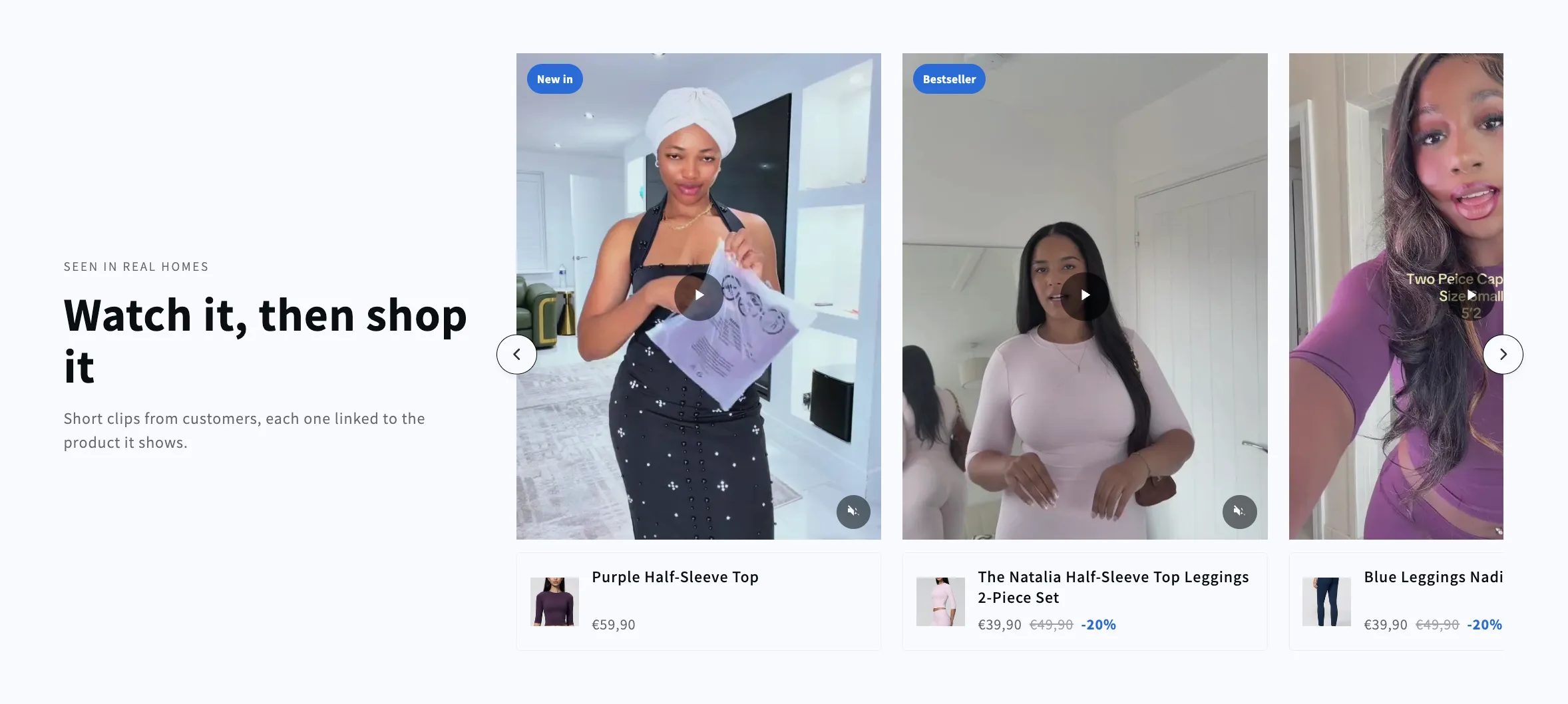
Shoppable Slider
A headline beside a side-scrolling row of shoppable clips. Each video carries the product it shows, with its image, name and price in a card below, and the row keeps its card size however few clips are left.
- Price
- Free
- Category
- Shoppable Video & Stories
- Merchant installs
- 15
- Works with
- Any OS 2.0 theme
Installs via the Section Shop app · shows as “SShop:Shoppable Slider” in your editor
- shoppable
- video
- slider
- carousel
- product
- ugc
How to add Shoppable Slider to your store
- 1
Install Section Shop
Get the free app from the Shopify App Store — takes one click.
- 2
Add “Shoppable Slider”
Find it in the Shoppable Video & Stories category and click Add to theme.
- 3
Customize in your editor
It appears as “SShop:Shoppable Slider” — edit text, images, colors and fonts, then save.
More shoppable video & stories sections
View all →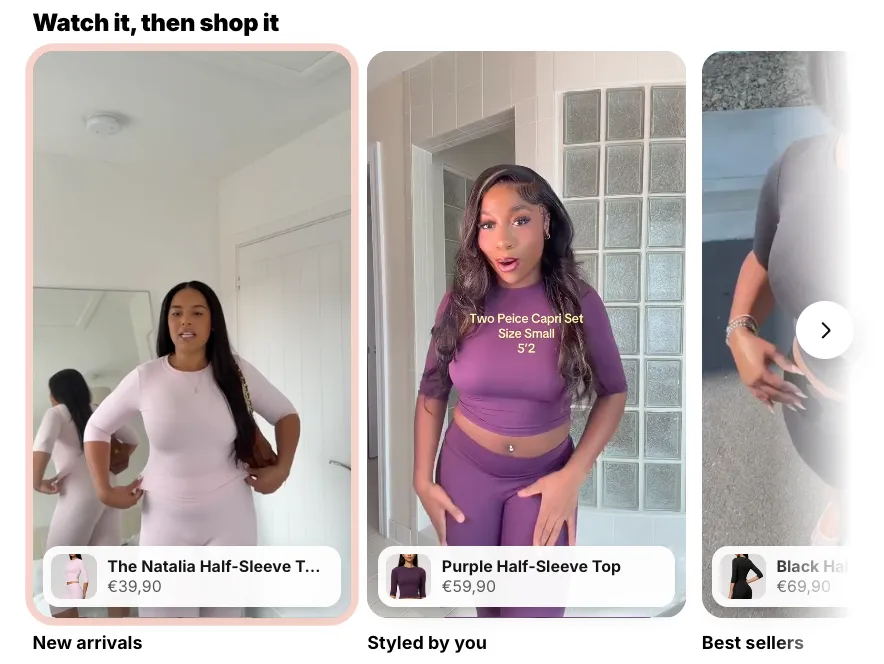 Free
Free Shoppable Stories
40 installsShoppable Video & Stories
Short videos that sell, as story bubbles or vertical reels. Previews play silently while on screen; a tap opens a full-screen player with progress bars, sound, and a swipe from one video to the next, and beside each video (over it on phones) sit the products it shows — options, price and an add to cart that never leaves the video. On a product page the stories can sit right inside the product details: under or above the buy buttons, under the title or under the description, and a video left without products sells the product of the page. No external libraries.
View section →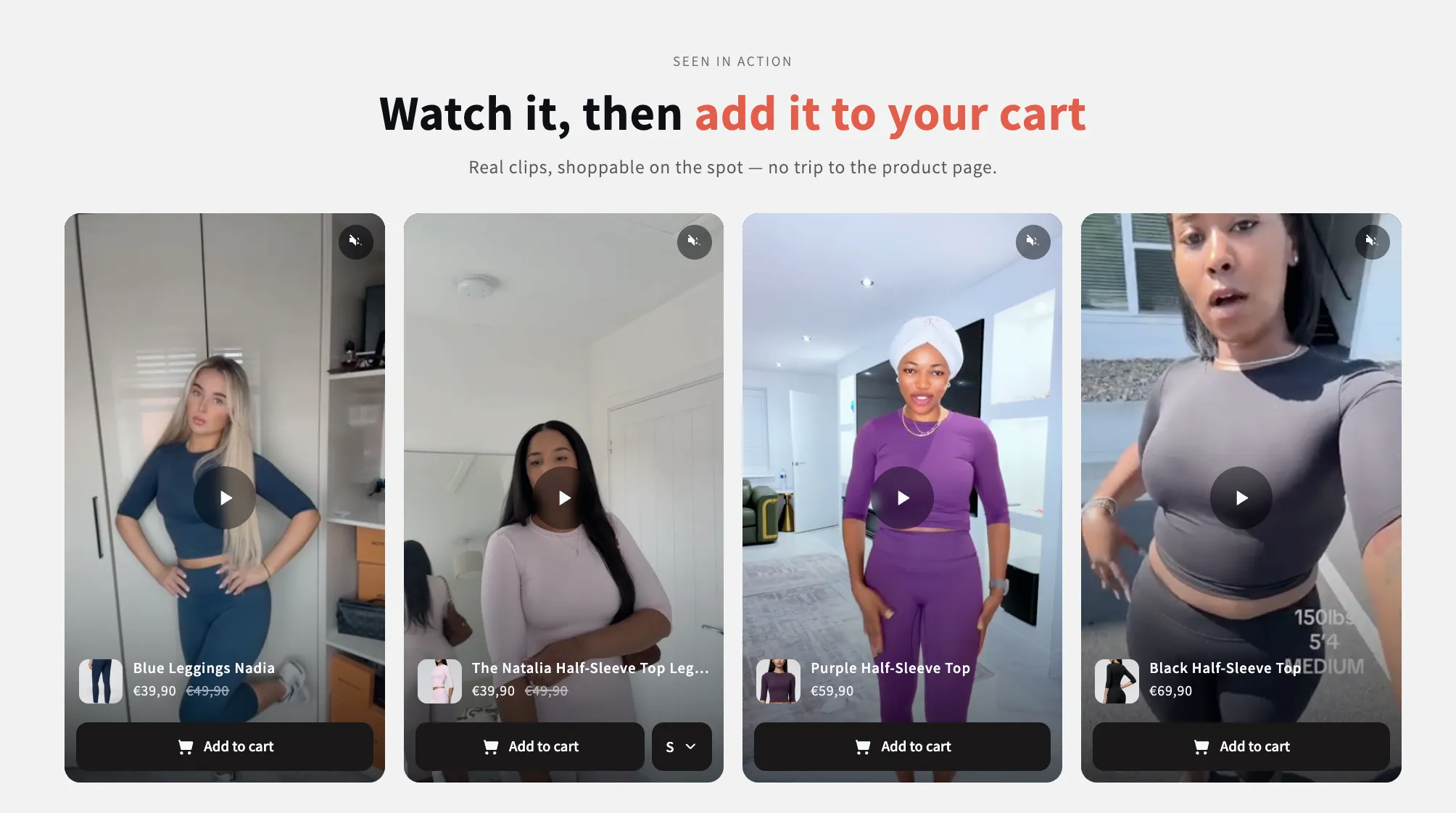 Free
Free Video Quick Shop
16 installsShoppable Video & Stories
Shoppable clips that sell without leaving the page: each card carries its product, its variants and an add-to-cart, and opens full size in a popup with the description. Supports uploaded video or YouTube and Vimeo.
View section →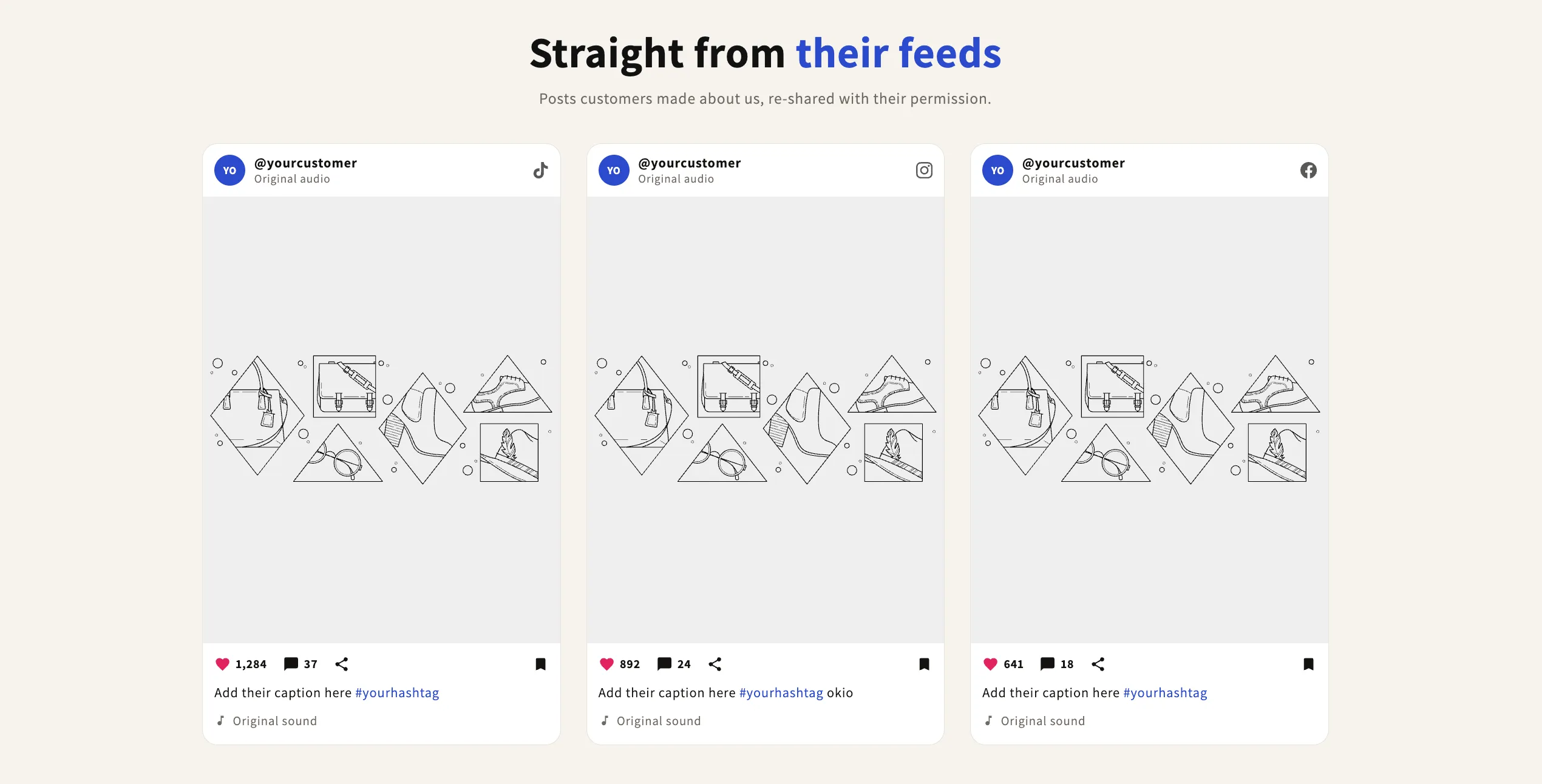 Free
Free Social Posts
Shoppable Video & Stories
Customer posts in an Instagram or Facebook style card — profile row on top, image or clip in the middle, likes, caption and hashtags below. Three per row by default. The likes and comments row is deliberately decorative: the icons are not buttons and the counts are the real numbers you type. Switch the frame setting to show vertical reels instead.
View section →