
What Craft is great at
Craft is known for craftsmanship feel, warm minimalism. If that matches your brand, keep it — you don’t need a new theme, just more sections.
Where it runs out of sections
- Few options to show the making process
- No before/after or comparison layouts
Best Section Shop sections for Craft
Picked from Image with Text, Comparison Tables, FAQ Sections — all free, all native to the theme editor.
 Free
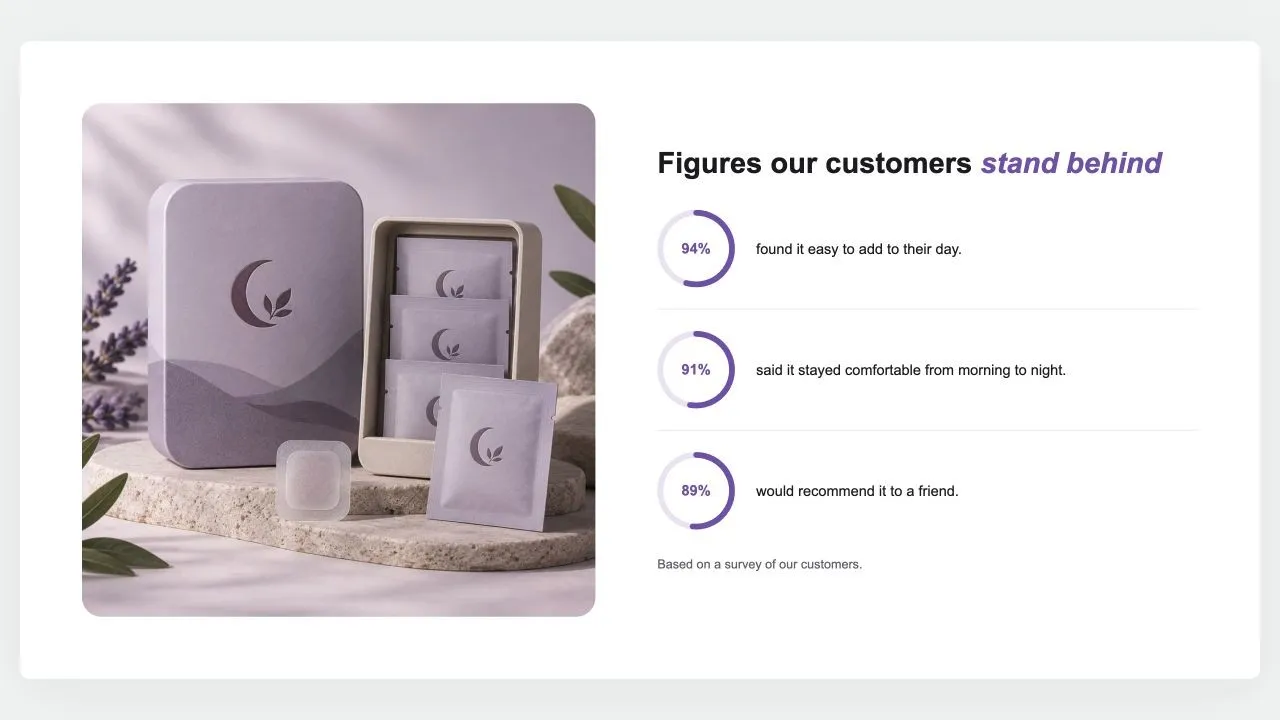
Free Stat Rings 1
Image with Text
A photo beside a heading and up to six figures, each a ring filled to its percentage with the number inside and a line of text. The rings fill as they scroll into view, and a note says where the figures come from.
View section →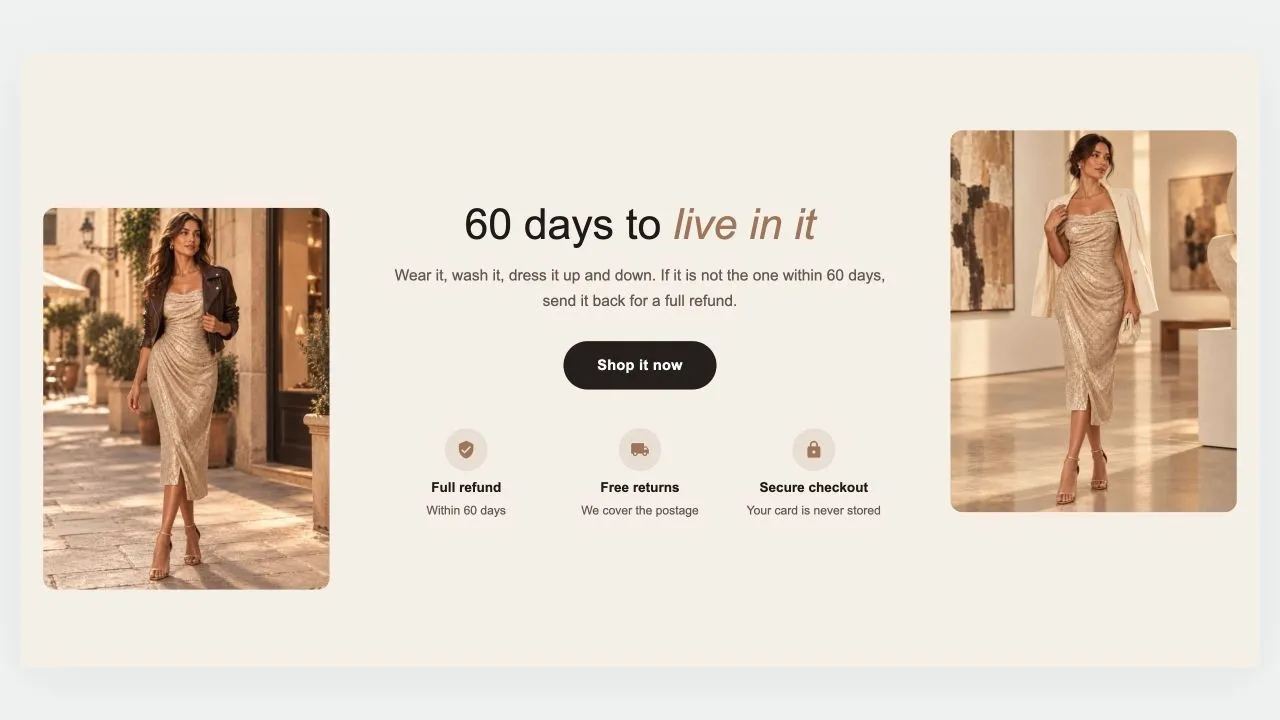 Free
Free Guarantee Band 1
Image with Text
A guarantee told between two photos: a heading, a short promise and a button in the middle, a row of reassurances underneath, and a picture on each side, staggered for a little movement. On phones the photos sit side by side above the words, or step aside altogether.
View section →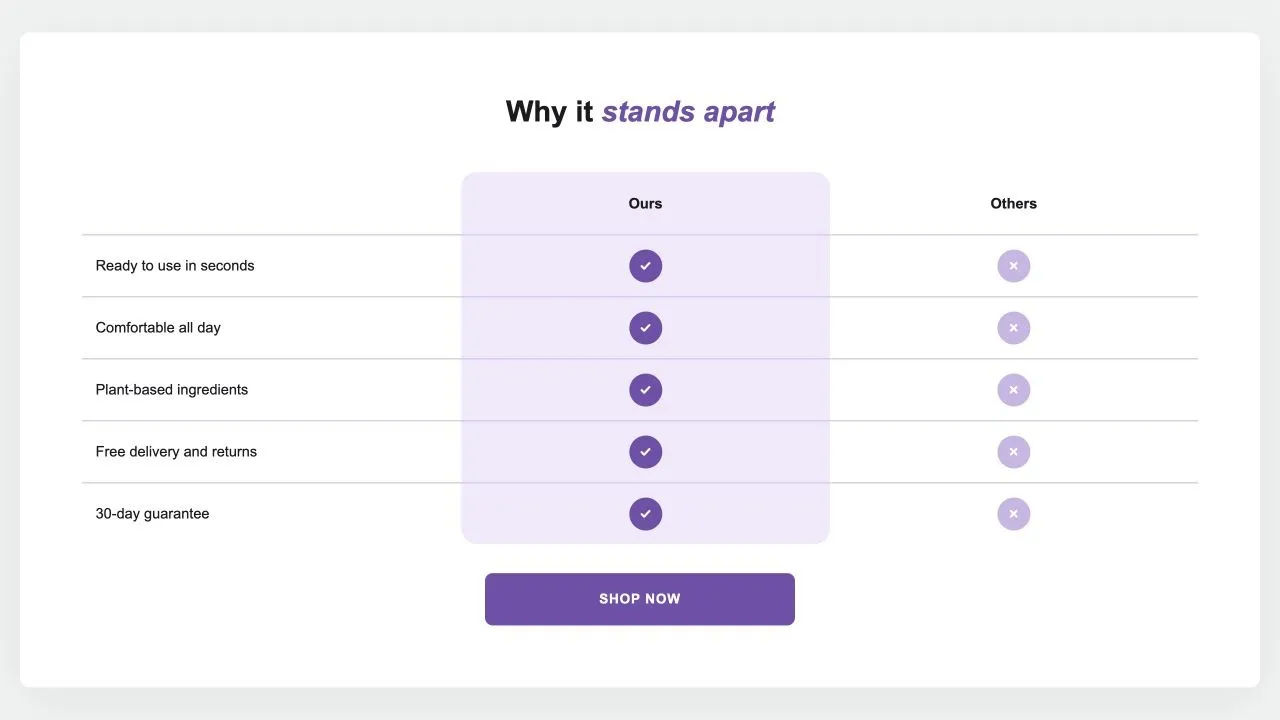 Free
Free Comparison Table 1
24 installsComparison Tables
Your product against the alternatives in a real table: a tinted or framed column with a tick on every row, crosses or words for the others, an optional third column and a button underneath. {title} in the words becomes the product's title.
View section →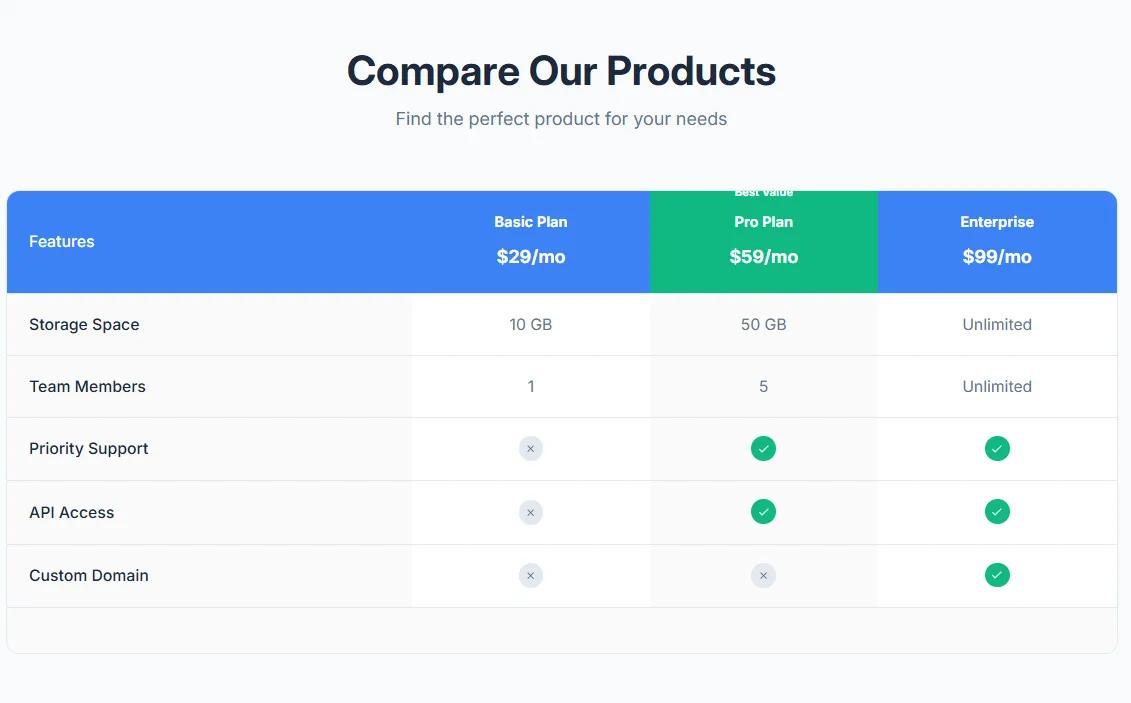 Free
Free Product Comparison Table
17 installsComparison Tables
Compare multiple products side by side with features table. Product images, prices, feature rows with check/X icons, highlighted recommended product, and mobile-responsive with sticky first column.
View section →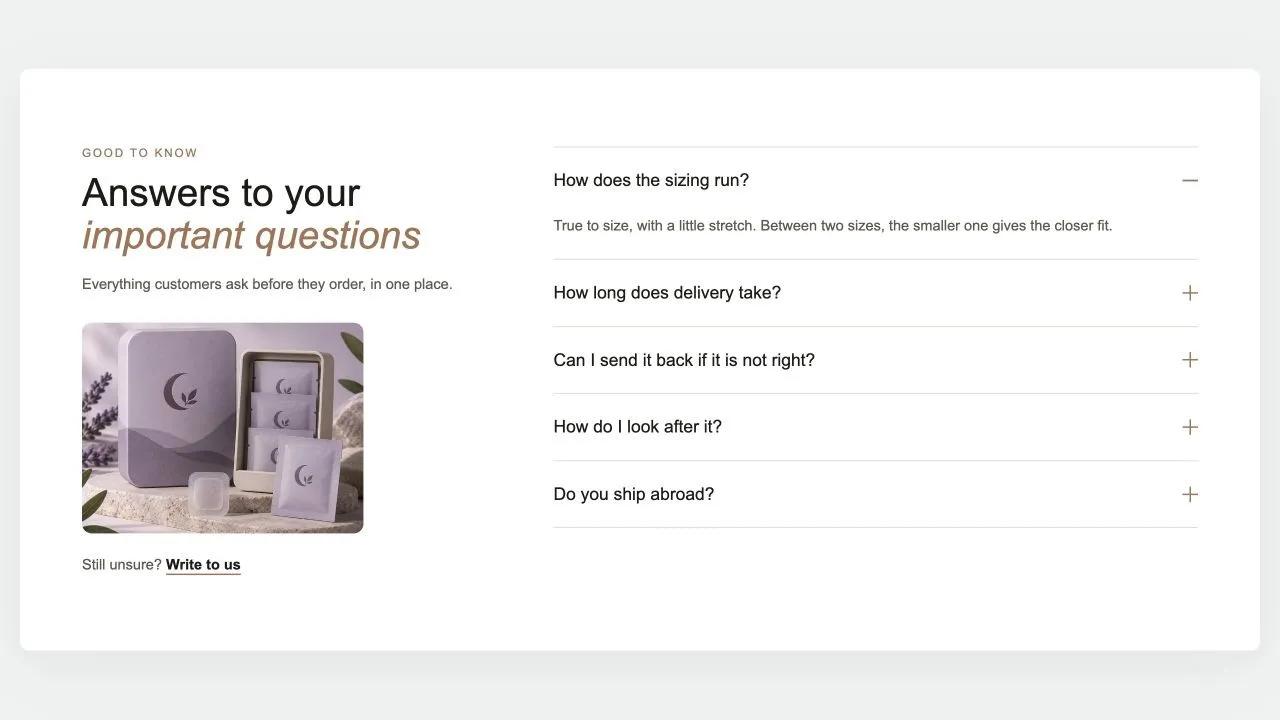 Free
Free FAQ Split 1
FAQ Sections
The heading, a word of reassurance, an optional photo and a contact link on one side; the questions on the other, opening one at a time with no script. The side column stays in view while the answers scroll, and every question is published as FAQ structured data for search engines.
View section →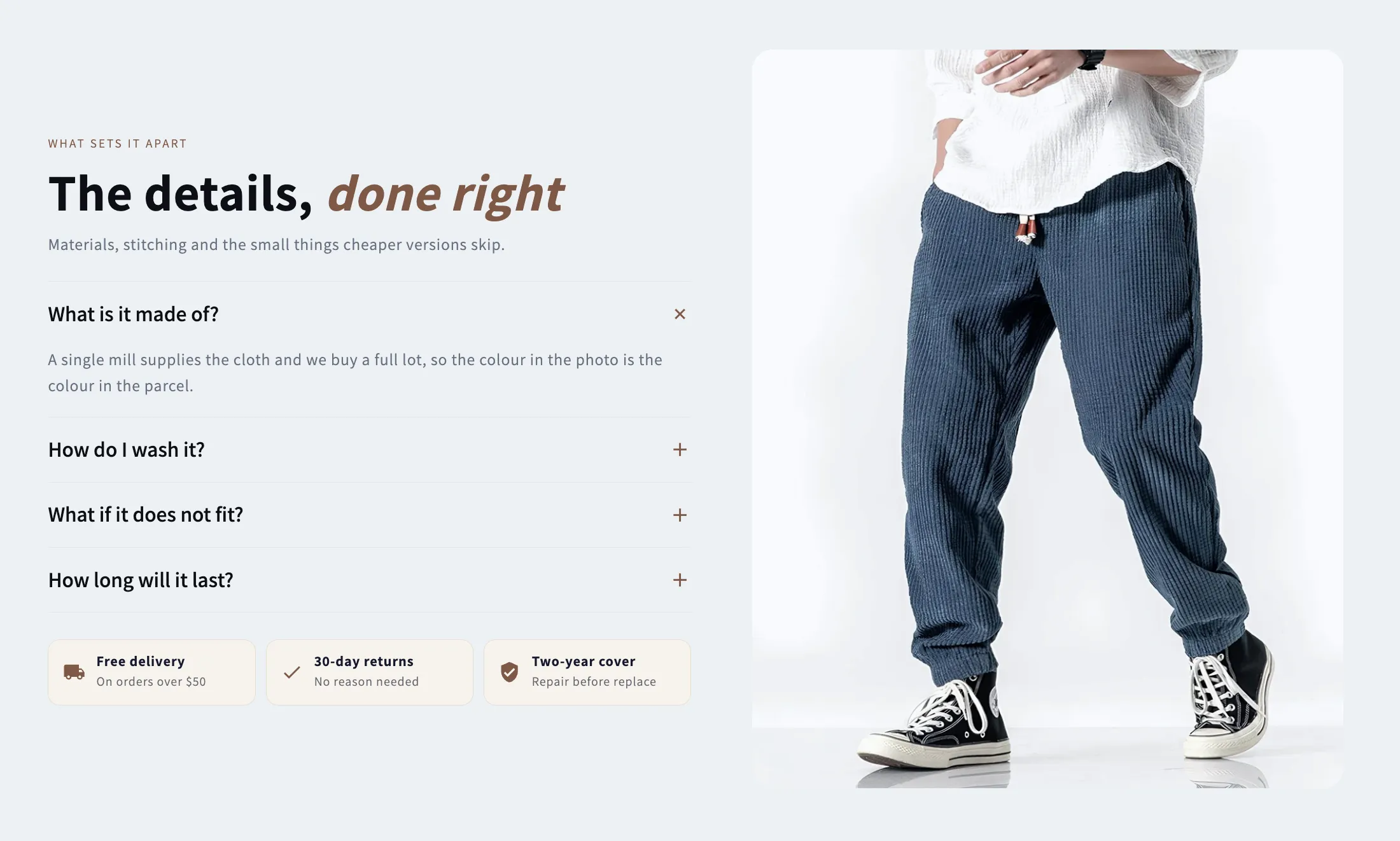 Free
Free Media Tabs
FAQ Sections
A picture beside an accordion of answers, with optional chips underneath for the offers that close a sale. Takes a separate mobile crop and a link on the image.
View section →Tip for Craft: Use a zigzag Image with Text to walk through your process step by step — Craft’s typography makes it read like a story.
How to add them to Craft
- 1
Install Section Shop
Free from the Shopify App Store. Your Craft setup is untouched.
- 2
Add the sections you need
Browse the library in the app and click Add — the section lands in your theme as a native file.
- 3
Customize in the editor
Open the Craft theme editor — the new sections are in the picker, inheriting your fonts.
All 164 Craft integration guides
One step-by-step guide per section — how it installs on Craft, why it fits, and what to customize first.
Shoppable Video & Stories
- How to add Shoppable Stories to Craft
- How to add Video Quick Shop to Craft
- How to add Shoppable Slider to Craft
- How to add Social Posts to Craft
- How to add Social Reels to Craft
- How to add Shoppable Reels to Craft
- How to add Shoppable Video to Craft
- How to add Video Stories to Craft
- How to add Video Testimonials to Craft
Collection Showcases
- How to add Collection Grid to Craft
- How to add Shop Collections 7 to Craft
- How to add Shop Collections 6 to Craft
- How to add Shop Collections 1 to Craft
- How to add Shop Collections 4 to Craft
- How to add Shop Collections 5 to Craft
- How to add Shop Collections 2 to Craft
- How to add Shop Collections 3 to Craft
- How to add Collection Circles to Craft
Headers & Navigation
Hero & Banners
- How to add Newsletter Band 1 to Craft
- How to add Coverflow 2 to Craft
- How to add Coverflow 1 to Craft
- How to add Slideshow 4 to Craft
- How to add Slideshow 3 to Craft
- How to add Slideshow 2 to Craft
- How to add Slideshow 1 to Craft
- How to add Hero Slider 1 to Craft
- How to add Hero Review 2 to Craft
- How to add Hero Review 1 to Craft
- How to add Hero Stats 1 to Craft
- How to add Hero Split 3 to Craft
- How to add Hero Split 2 to Craft
- How to add Hero Split 1 to Craft
- How to add Hero Grid 1 to Craft
- How to add Hero Image 3 to Craft
- How to add Hero Image 2 to Craft
- How to add Hero Image 1 to Craft
- How to add Study Slider to Craft
- How to add Hero 9 Banner to Craft
- How to add Image Templates Banner to Craft
- How to add Rotating Carousel Banner to Craft
- How to add Split Content Banner to Craft
- How to add Hero Banner to Craft
- How to add Minimal Text Banner to Craft
- How to add Gradient Overlay Banner to Craft
- How to add Stacked Promotion Banner to Craft
Image with Text
- How to add Stat Rings 1 to Craft
- How to add Guarantee Band 1 to Craft
- How to add Ingredient Tabs to Craft
- How to add Selling Points to Craft
- How to add Feature Rows to Craft
- How to add Media Specs to Craft
- How to add Editorial Story to Craft
- How to add Image Text Benefits to Craft
- How to add Image With Text Premium to Craft
- How to add Image Text Zigzag to Craft
- How to add Image Text Cards to Craft
- How to add Image Text Overlay to Craft
- How to add Image Text Split to Craft
- How to add Designed with an Edge to Craft
- How to add Explore Our Gallery to Craft
Announcement Bars
- How to add Marquee 4 to Craft
- How to add Marquee 3 to Craft
- How to add Marquee 2 to Craft
- How to add Marquee 1 to Craft
- How to add Announcement Bar 5 to Craft
- How to add Announcement Bar 4 to Craft
- How to add Announcement Bar 3 to Craft
- How to add Announcement Bar 2 to Craft
- How to add Announcement Bar 1 to Craft
- How to add 3D Flip Rotator to Craft
- How to add Stock Ticker Pro to Craft
- How to add Urgency Split Bar to Craft
- How to add Neon Glow Marquee to Craft
- How to add Gradient Marquee to Craft
Countdown Timers
- How to add Countdown Drop 1 to Craft
- How to add Countdown Sale 5 to Craft
- How to add Countdown Sale 4 to Craft
- How to add Countdown Sale 3 to Craft
- How to add Countdown Sale 2 to Craft
- How to add Countdown Sale 1 to Craft
- How to add Countdown Media 1 to Craft
- How to add Countdown Split 1 to Craft
- How to add Countdown Hero 2 to Craft
- How to add Countdown Bar 1 to Craft
- How to add Countdown Product Launch to Craft
- How to add Countdown Minimal to Craft
- How to add Countdown Boxed to Craft
- How to add Countdown Hero to Craft
- How to add Countdown Banner to Craft
Comparison Tables
- How to add Comparison Table 1 to Craft
- How to add Product Comparison Table to Craft
- How to add Dual Flow Comparison to Craft
- How to add Competitor Comparison to Craft
- How to add Before After Table to Craft
- How to add Feature Comparison to Craft
- How to add Pricing Table to Craft
- How to add After Before Slider to Craft
- How to add Discover the Difference to Craft
FAQ Sections
Feature Highlights
Product Showcases
- How to add Product Callouts 1 to Craft
- How to add Product Tiles 1 to Craft
- How to add Product Banner 2 to Craft
- How to add Product Banner 1 to Craft
- How to add Product Slider 11 to Craft
- How to add Product Slider 10 to Craft
- How to add Product Slider 9 to Craft
- How to add Product Slider 8 to Craft
- How to add Product Slider 7 to Craft
- How to add Product Grid 6 to Craft
- How to add Product Grid 5 to Craft
- How to add Product Grid 4 to Craft
- How to add Product Story 1 to Craft
- How to add Product Slider 6 to Craft
- How to add Product Slider 5 to Craft
- How to add Product Slider 4 to Craft
- How to add Product Slider 3 to Craft
- How to add Product Slider 2 to Craft
- How to add Product Slider 1 to Craft
- How to add Product Grid 3 to Craft
- How to add Product Grid 2 to Craft
- How to add Product Grid 1 to Craft
- How to add Shop The Look 5 to Craft
- How to add Shop The Look 4 to Craft
- How to add Shop The Look 3 to Craft
- How to add Shop The Look 2 to Craft
- How to add Shop The Look 1 to Craft
- How to add Product Ingredients to Craft
- How to add Product Bundle to Craft
- How to add Product Specifications to Craft
- How to add Product Gallery to Craft
- How to add Product Features to Craft
Testimonials & Reviews
- How to add Review Cards 1 to Craft
- How to add Reviews Summary 1 to Craft
- How to add Photo Reviews 1 to Craft
- How to add Media Proof to Craft
- How to add Testimonial Spotlight to Craft
- How to add Reviews Marquee to Craft
- How to add Reviews Wall to Craft
- How to add Testimonials Grid to Craft
- How to add Testimonials Carousel to Craft
Content & Extras
Craft + Section Shop, in short
Does Section Shop work with the Craft theme?
Yes. Craft is an Online Store 2.0 theme, and Section Shop sections install as native OS 2.0 sections through Shopify's official theme API — the same mechanism Craft's own sections use.
Will added sections match Craft's design?
By default every Section Shop section inherits your theme's fonts, so it picks up Craft's typography automatically. Colors, spacing and content are all editable in the theme editor.
Do I need to edit Craft's code?
No. You install the app, click Add on a section, and it appears in your theme editor ready to customize. No Liquid, no CSS, no theme duplication required.