
Media Tabs
Free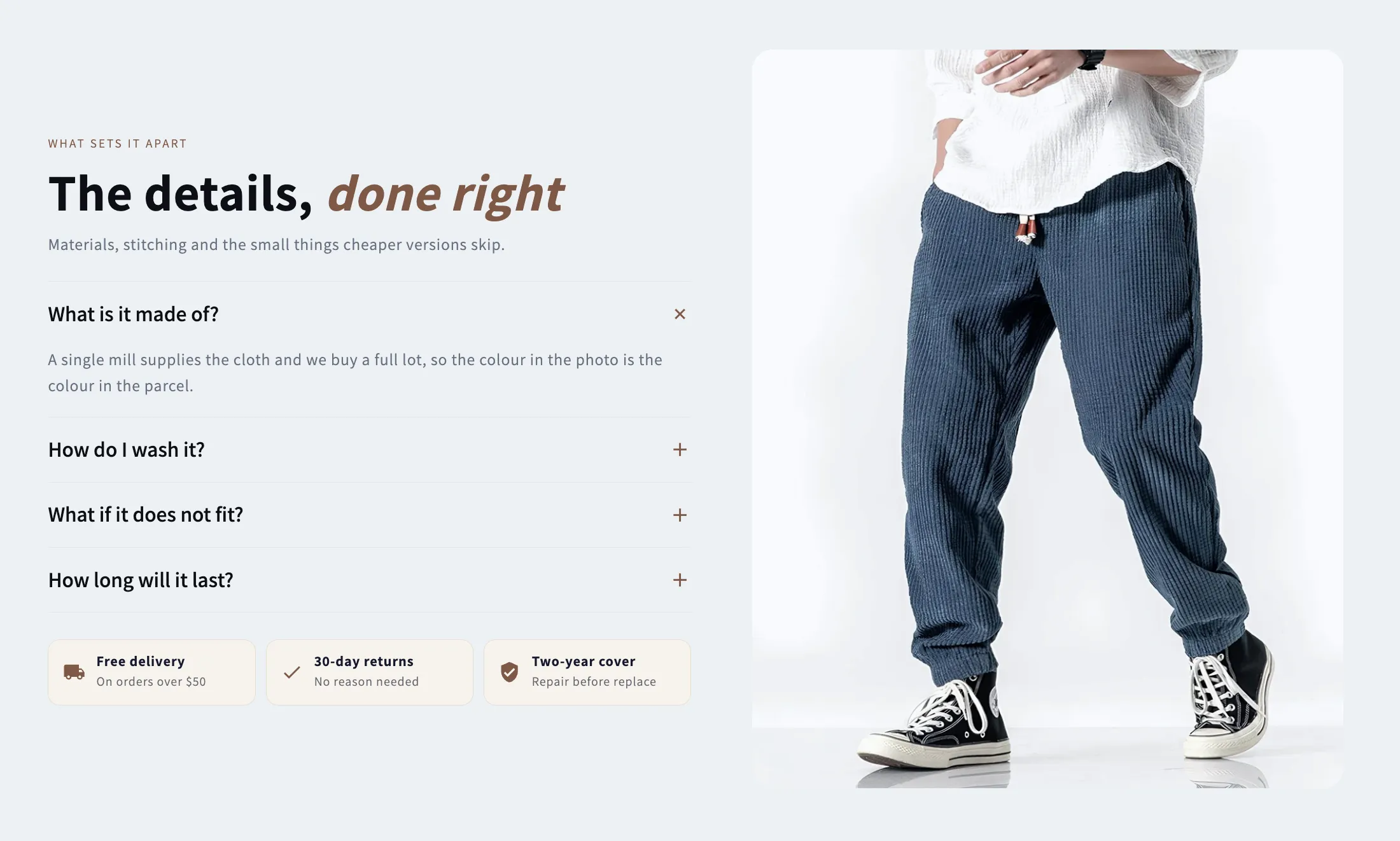
Full section details, tags and related sections: Media Tabs →
Why Media Tabs works on Craft
Accordions, tabs, searchable lists and two-column layouts that kill pre-purchase doubts and cut support tickets. For Craft specifically, this is one of the strongest matches in the library: few options to show the making process, and Media Tabs fills that gap while inheriting Craft's typography automatically, so it looks native from the first save. Use a zigzag Image with Text to walk through your process step by step — Craft’s typography makes it read like a story.
- Theme
- Craft (free)
- Section category
- FAQ Sections
- Merchant installs
- 14
- Shows in editor as
- SShop:Media Tabs
How to add Media Tabs to Craft, step by step
- 1
Install Section Shop (free)
Add the app from the Shopify App Store. It's free, carries the Built for Shopify badge, and changes nothing in your Craft setup until you add a section.
- 2
Find “Media Tabs” in the library
Open the app and browse to it — it's in the FAQ Sections category — or use search.
- 3
Click “Add to theme”
Section Shop writes the section into your Craft theme through Shopify's official theme API, the same mechanism Craft uses for its own sections.
- 4
Open the Craft theme editor
In Online Store → Themes → Customize, click “Add section”: you'll find it as “SShop:Media Tabs” in the picker.
- 5
Customize and save
Adjust text, images, colors and layout. Typography follows your Craft font settings by default — or switch the section to any Shopify font. Hit Save and it's live.
Media Tabs on Craft — FAQ
Does Media Tabs work with the Craft theme?
Yes. Craft is an Online Store 2.0 theme, and Media Tabs installs as a native OS 2.0 section through Shopify's official theme API. It appears in Craft's theme editor as “SShop:Media Tabs”, alongside the theme's own sections.
Will Media Tabs match Craft's design?
By default the section inherits your theme's fonts, so it picks up Craft's typography automatically. Colors, spacing, images and content are all editable in the theme editor — no CSS required.
Is Media Tabs free, and what if I uninstall Section Shop?
Media Tabs is free, like every section in the 164-section library. Once added it's a standard theme file: if you uninstall the app, the section stays in your Craft theme and keeps working.
More faq sections for Craft
Pairs well with Media Tabs
 Free
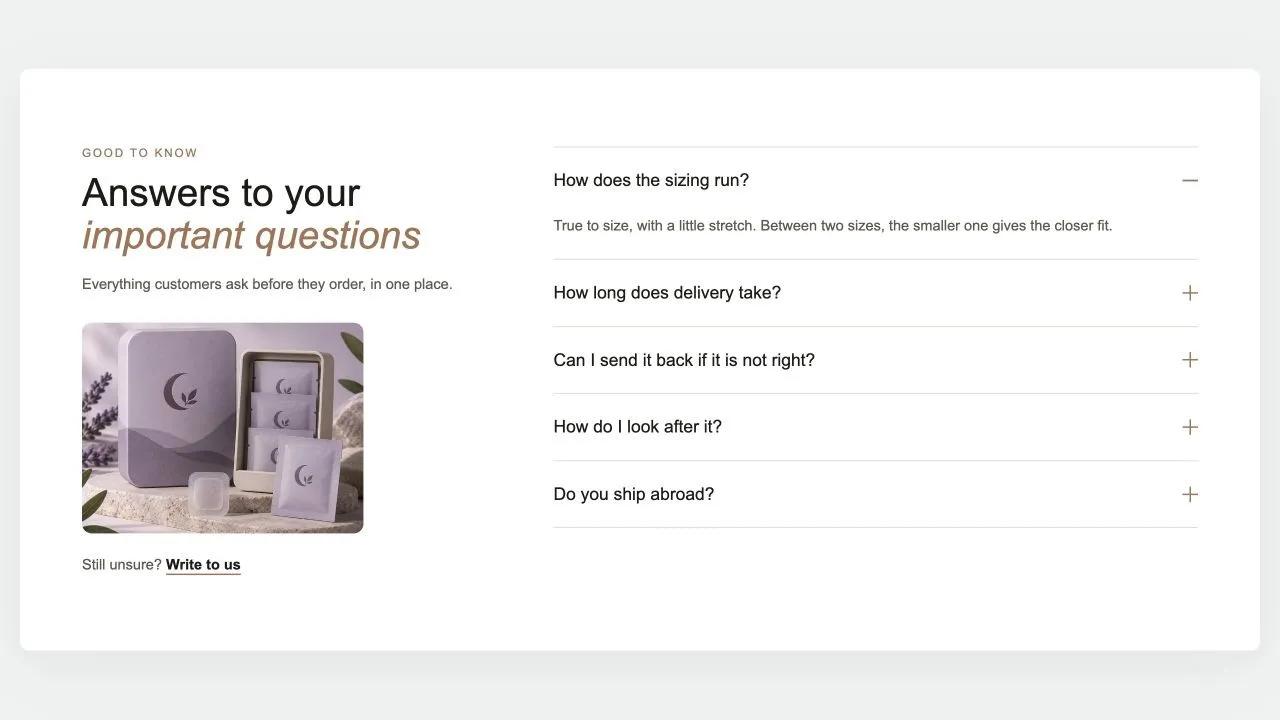
Free FAQ Split 1
FAQ Sections
The heading, a word of reassurance, an optional photo and a contact link on one side; the questions on the other, opening one at a time with no script. The side column stays in view while the answers scroll, and every question is published as FAQ structured data for search engines.
View section →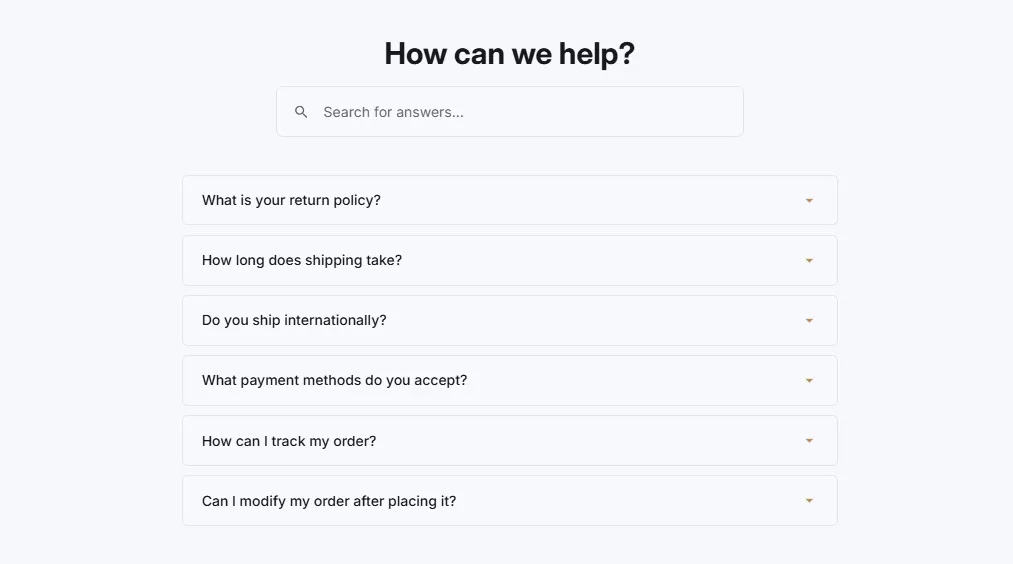 Free
Free FAQ Searchable
23 installsFAQ Sections
FAQ with search functionality and instant filtering. Search box with icon, real-time filtering as user types, highlight matching questions, and no results message.
View section →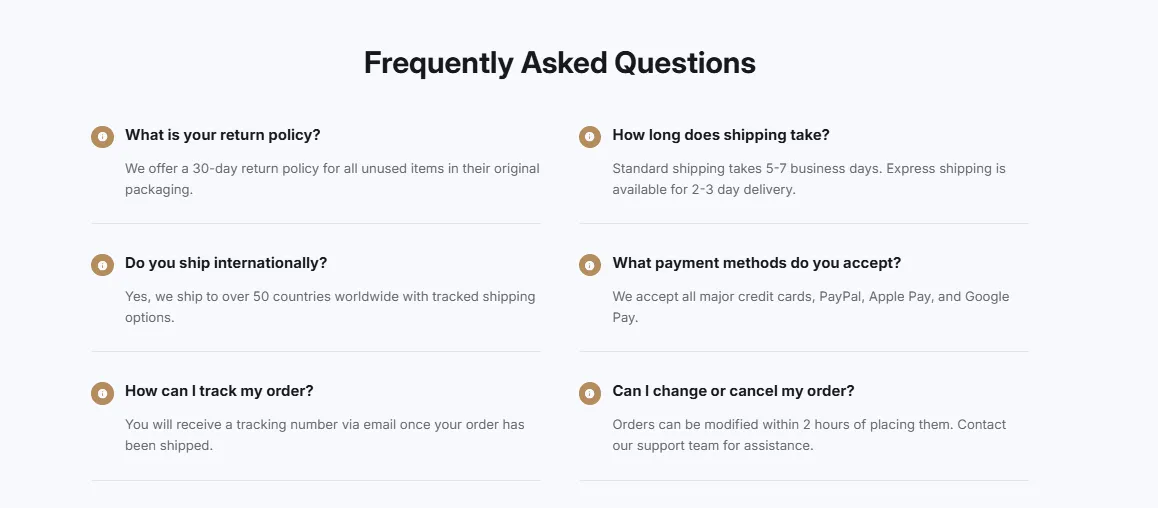 Free
Free FAQ Two Column
29 installsFAQ Sections
FAQ displayed in two columns for wider layouts. Questions split across columns, accordion functionality, and responsive single column on mobile devices.
View section →