
Split Content Banner
Free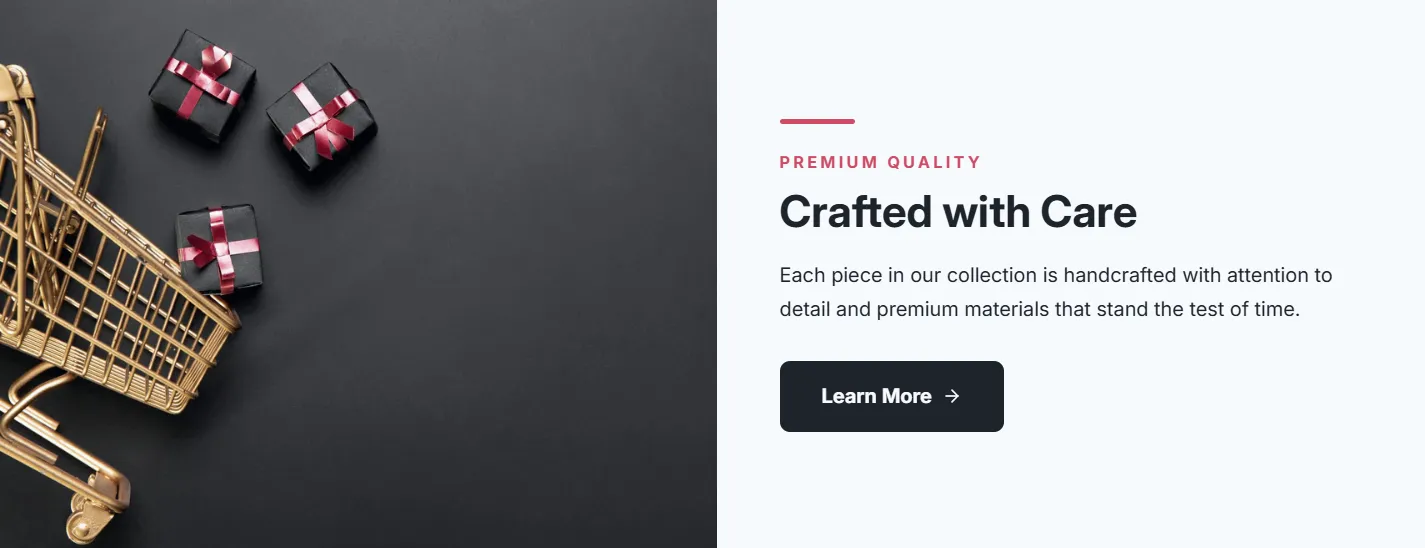
Full section details, tags and related sections: Split Content Banner →
Why Split Content Banner works on Motion
First-impression sections: hero layouts, promotional banners and rotating showcases that make visitors stop scrolling. On Motion, Split Content Banner slots in like any built-in section: it inherits the theme's fonts by default, picks up your color choices in the editor, and lives alongside Motion's own sections in the picker — prefixed "SShop:" so it's easy to spot.
- Theme
- Motion (premium)
- Section category
- Hero & Banners
- Merchant installs
- 21
- Shows in editor as
- SShop:Split Banner
How to add Split Content Banner to Motion, step by step
- 1
Install Section Shop (free)
Add the app from the Shopify App Store. It's free, carries the Built for Shopify badge, and changes nothing in your Motion setup until you add a section.
- 2
Find “Split Content Banner” in the library
Open the app and browse to it — it's in the Hero & Banners category — or use search.
- 3
Click “Add to theme”
Section Shop writes the section into your Motion theme through Shopify's official theme API, the same mechanism Motion uses for its own sections.
- 4
Open the Motion theme editor
In Online Store → Themes → Customize, click “Add section”: you'll find it as “SShop:Split Banner” in the picker.
- 5
Customize and save
Adjust text, images, colors and layout. Typography follows your Motion font settings by default — or switch the section to any Shopify font. Hit Save and it's live.
Split Content Banner on Motion — FAQ
Does Split Content Banner work with the Motion theme?
Yes. Motion is an Online Store 2.0 theme, and Split Content Banner installs as a native OS 2.0 section through Shopify's official theme API. It appears in Motion's theme editor as “SShop:Split Banner”, alongside the theme's own sections.
Will Split Content Banner match Motion's design?
By default the section inherits your theme's fonts, so it picks up Motion's typography automatically. Colors, spacing, images and content are all editable in the theme editor — no CSS required.
Is Split Content Banner free, and what if I uninstall Section Shop?
Split Content Banner is free, like every section in the 164-section library. Once added it's a standard theme file: if you uninstall the app, the section stays in your Motion theme and keeps working.
Add Split Content Banner to another theme
More hero & banners for Motion
Pairs well with Split Content Banner
 Free
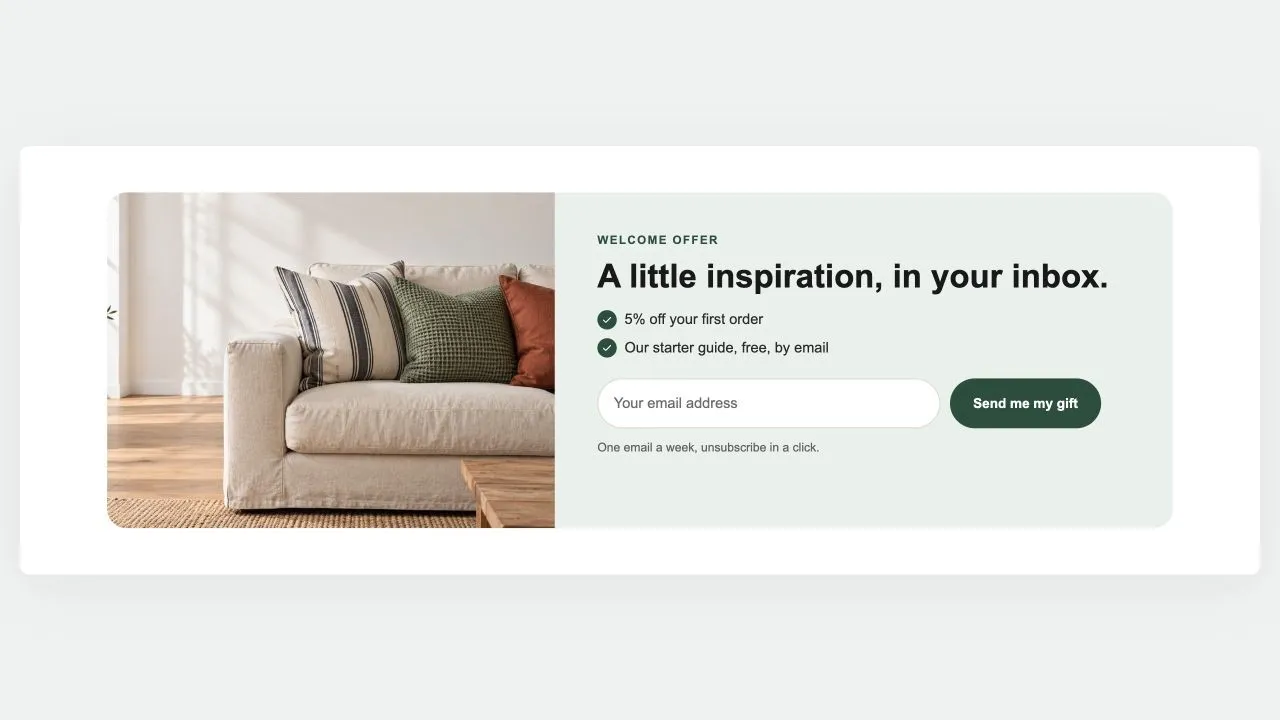
Free Newsletter Band 1
Hero & Banners
A sign-up band with an offer: a heading, three perks with a tick, the email field and the button, a photo beside it if you like. Subscribers get the newsletter tag; the thank-you shows in place.
View section →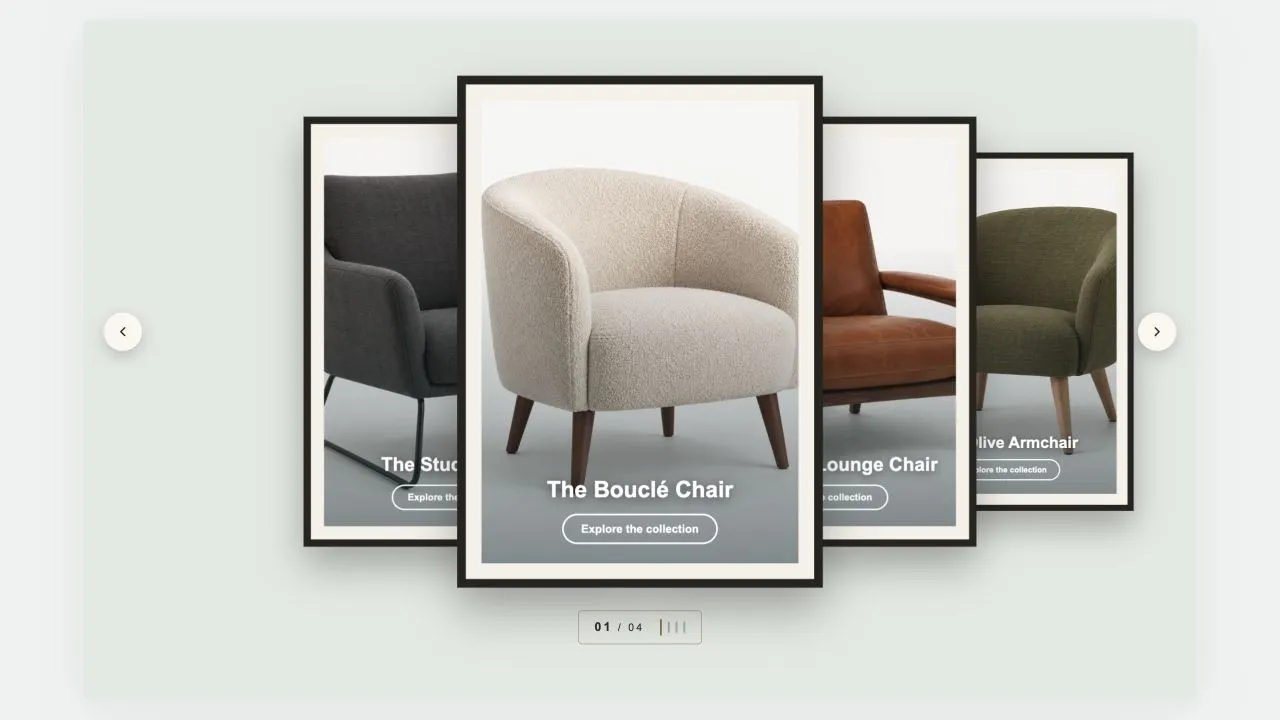 Free
Free Coverflow 2
Hero & Banners
A gallery wall: each photograph sits in a mat and a frame, hung in a row that recedes to either side of the one in front. Navigation is a brass plaque with the piece number and a row of tick marks, the way a wall label works. Hangs flat by default, and leans as far as you want it to.
View section →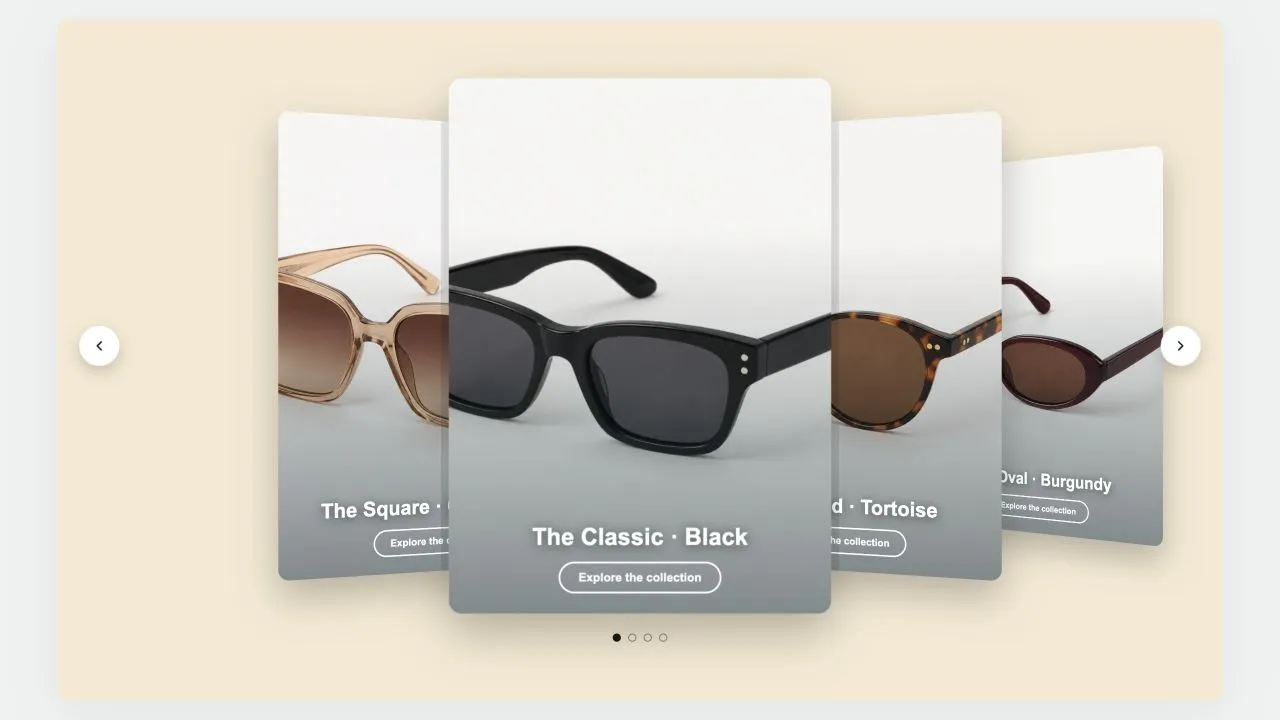 Free
Free Coverflow 1
Hero & Banners
A leaning deck of cards: one in front, its neighbours fanned out behind and shrinking with distance. Each card carries a signed offset from the centre as a CSS custom property and one transform rule reads it, so moving the deck rewrites numbers rather than markup. Clicking a card behind brings it forward.
View section →