
Ingredient Tabs
Free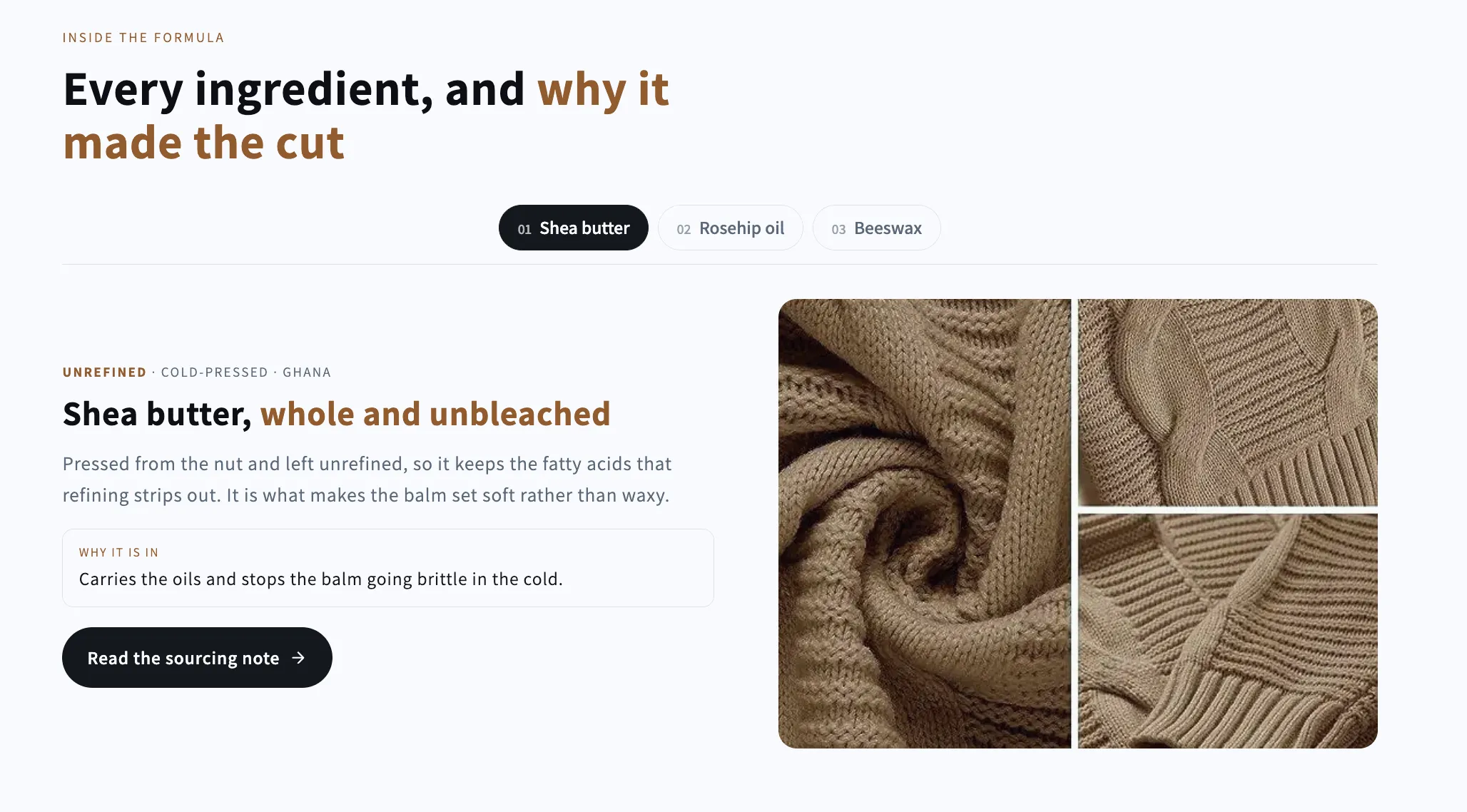
Full section details, tags and related sections: Ingredient Tabs →
Why Ingredient Tabs works on Prestige
Story-telling layouts pairing visuals with copy — splits, overlays, zigzags and card grids for brand and product stories. For Prestige specifically, this is one of the strongest matches in the library: social proof beyond the built-in blocks, and Ingredient Tabs fills that gap while inheriting Prestige's typography automatically, so it looks native from the first save. Keep it restrained: a single Testimonial Spotlight between two editorial blocks fits Prestige better than a wall of reviews.
- Theme
- Prestige (premium)
- Section category
- Image with Text
- Merchant installs
- 6
- Shows in editor as
- SShop:Ingredient Tabs
How to add Ingredient Tabs to Prestige, step by step
- 1
Install Section Shop (free)
Add the app from the Shopify App Store. It's free, carries the Built for Shopify badge, and changes nothing in your Prestige setup until you add a section.
- 2
Find “Ingredient Tabs” in the library
Open the app and browse to it — it's in the Image with Text category — or use search.
- 3
Click “Add to theme”
Section Shop writes the section into your Prestige theme through Shopify's official theme API, the same mechanism Prestige uses for its own sections.
- 4
Open the Prestige theme editor
In Online Store → Themes → Customize, click “Add section”: you'll find it as “SShop:Ingredient Tabs” in the picker.
- 5
Customize and save
Adjust text, images, colors and layout. Typography follows your Prestige font settings by default — or switch the section to any Shopify font. Hit Save and it's live.
Ingredient Tabs on Prestige — FAQ
Does Ingredient Tabs work with the Prestige theme?
Yes. Prestige is an Online Store 2.0 theme, and Ingredient Tabs installs as a native OS 2.0 section through Shopify's official theme API. It appears in Prestige's theme editor as “SShop:Ingredient Tabs”, alongside the theme's own sections.
Will Ingredient Tabs match Prestige's design?
By default the section inherits your theme's fonts, so it picks up Prestige's typography automatically. Colors, spacing, images and content are all editable in the theme editor — no CSS required.
Is Ingredient Tabs free, and what if I uninstall Section Shop?
Ingredient Tabs is free, like every section in the 164-section library. Once added it's a standard theme file: if you uninstall the app, the section stays in your Prestige theme and keeps working.
More image with text for Prestige
Pairs well with Ingredient Tabs
 Free
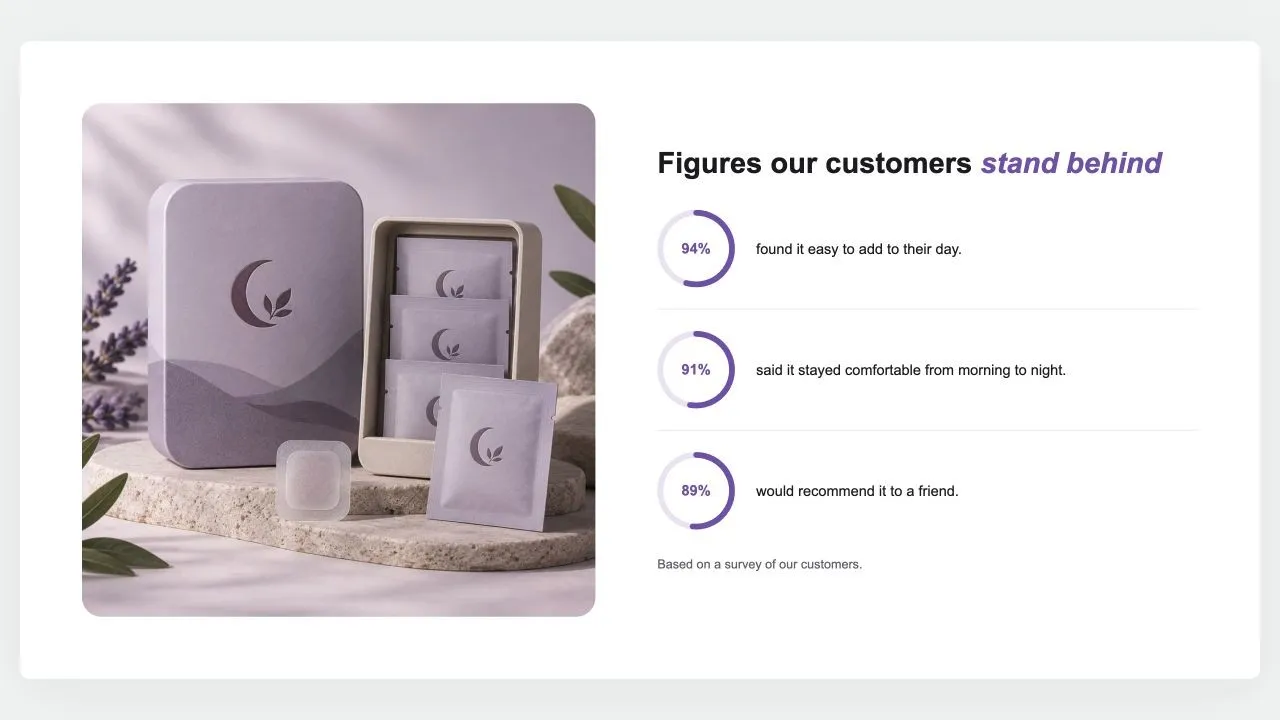
Free Stat Rings 1
Image with Text
A photo beside a heading and up to six figures, each a ring filled to its percentage with the number inside and a line of text. The rings fill as they scroll into view, and a note says where the figures come from.
View section →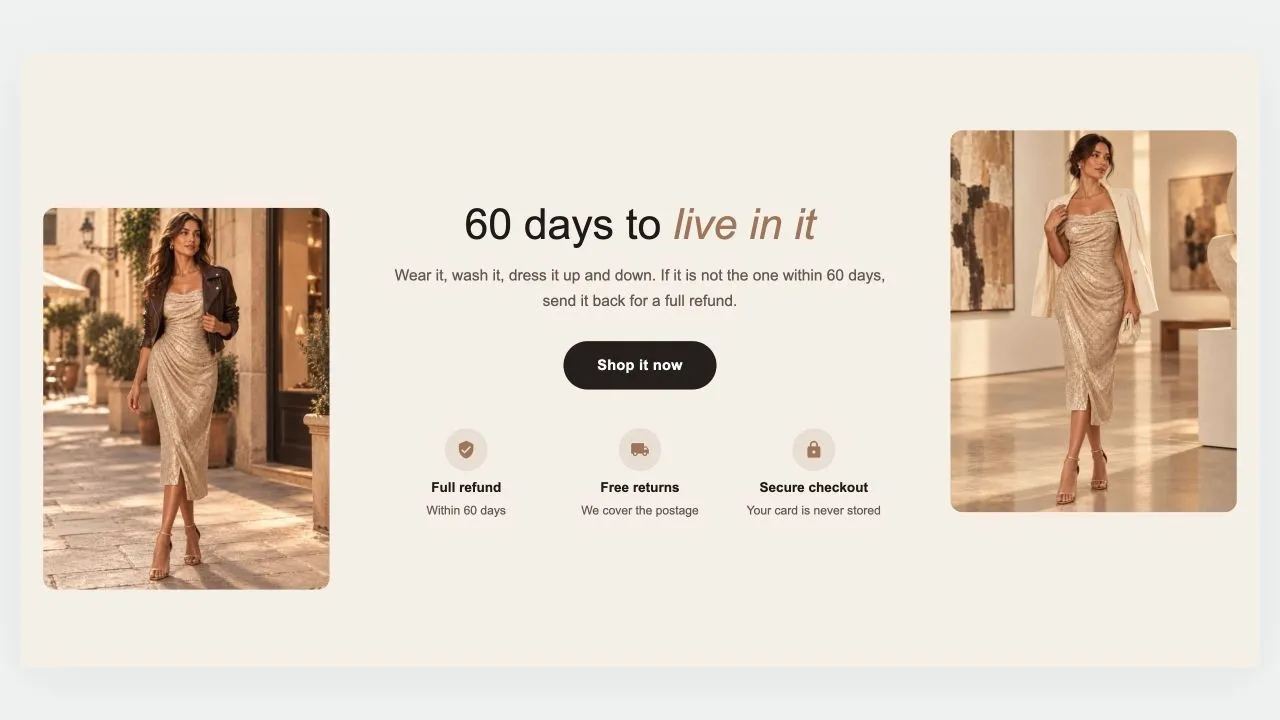 Free
Free Guarantee Band 1
Image with Text
A guarantee told between two photos: a heading, a short promise and a button in the middle, a row of reassurances underneath, and a picture on each side, staggered for a little movement. On phones the photos sit side by side above the words, or step aside altogether.
View section →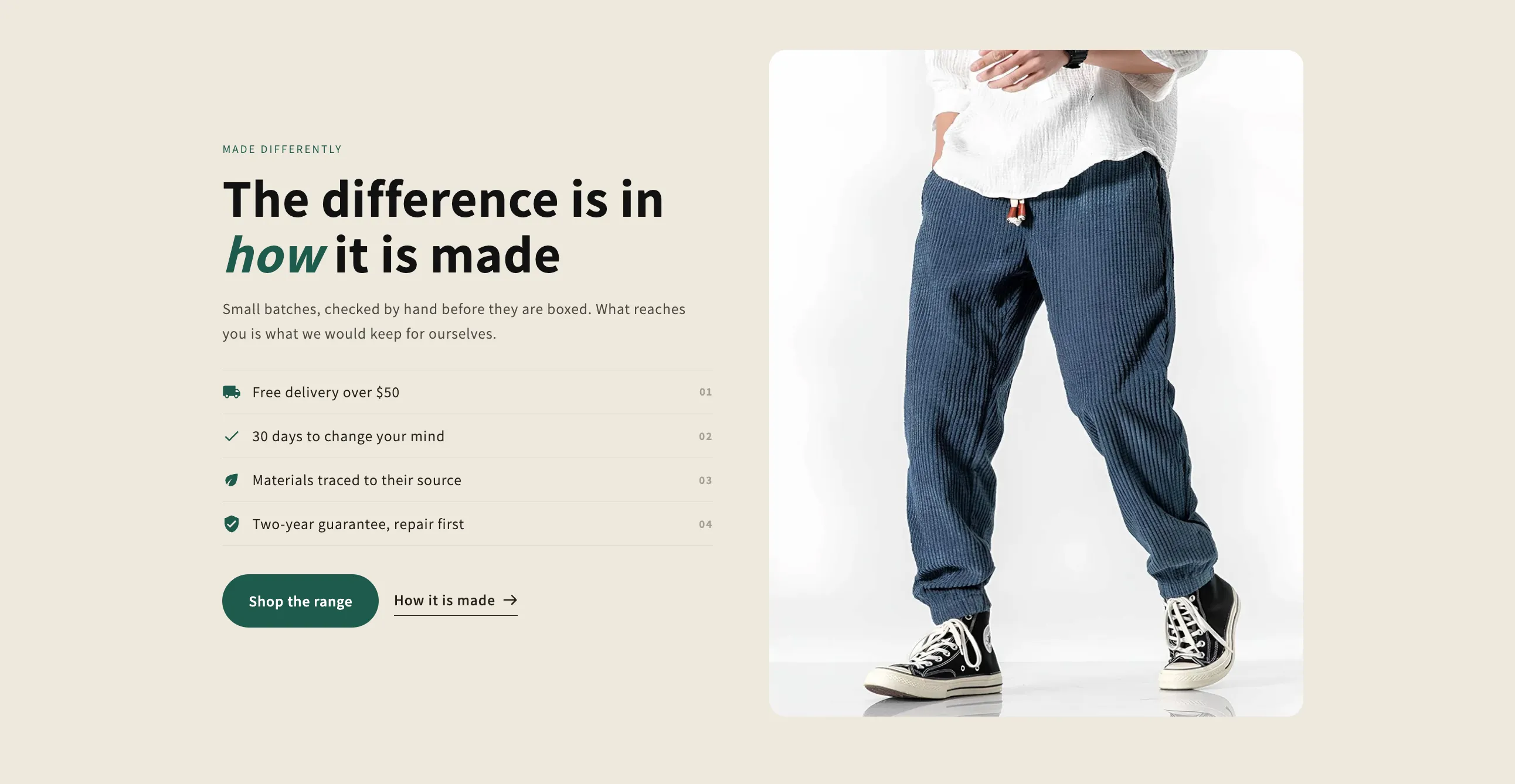 Free
Free Selling Points
Image with Text
One picture or clip beside the argument for buying: a headline, a paragraph, a numbered checklist of reasons and two buttons. External video opens in a popup that loads nothing until it is clicked.
View section →