
What Shrine is great at
Shrine is known for conversion-rate obsession and built-in marketing blocks. If that matches your brand, keep it — you don’t need a new theme, just more sections.
Where it runs out of sections
- Fresh section designs beyond the built-ins everyone recognizes
- More testimonial formats to rotate
Best Section Shop sections for Shrine
Picked from Comparison Tables, Testimonials & Reviews, Countdown Timers — all free, all native to the theme editor.
 Free
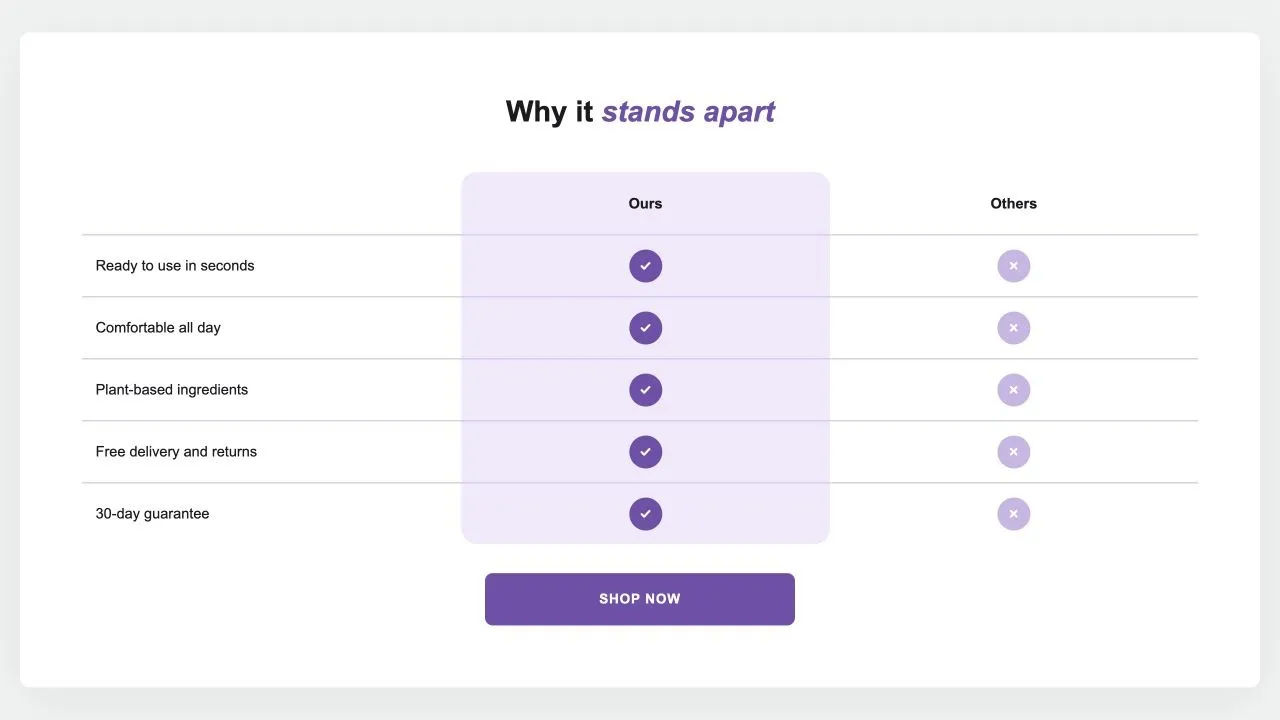
Free Comparison Table 1
24 installsComparison Tables
Your product against the alternatives in a real table: a tinted or framed column with a tick on every row, crosses or words for the others, an optional third column and a button underneath. {title} in the words becomes the product's title.
View section →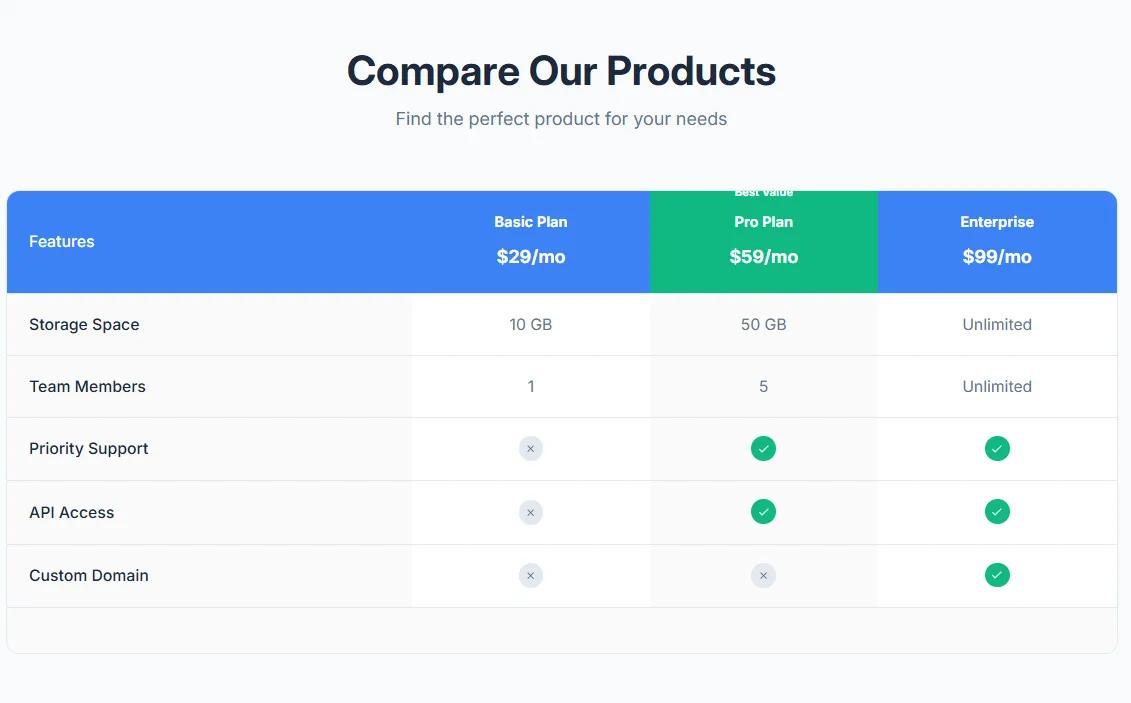 Free
Free Product Comparison Table
17 installsComparison Tables
Compare multiple products side by side with features table. Product images, prices, feature rows with check/X icons, highlighted recommended product, and mobile-responsive with sticky first column.
View section →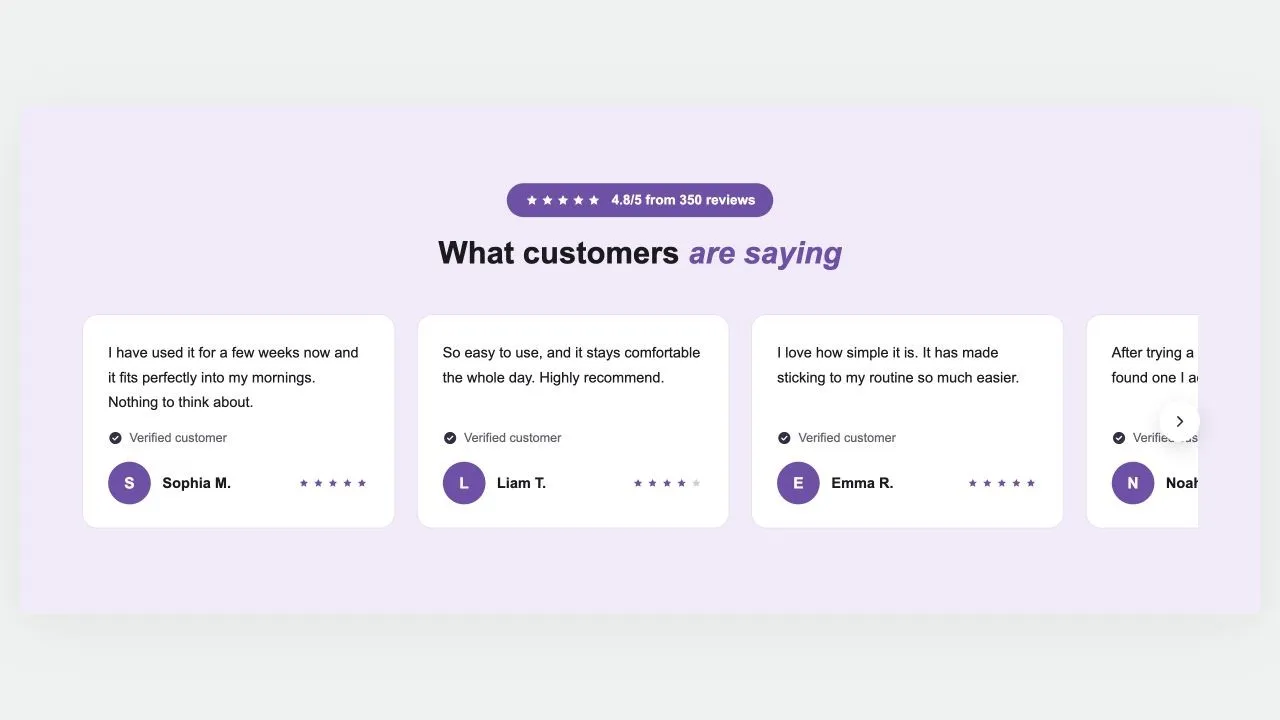 Free
Free Review Cards 1
15 installsTestimonials & Reviews
Customer reviews on a coloured band: a star rating in a pill, a heading and a row of cards that scrolls, each with the review, a verified mark, an initial or photo, the name and stars. Arrows on computers, a swipe on phones, and wavy edges if you want them.
View section →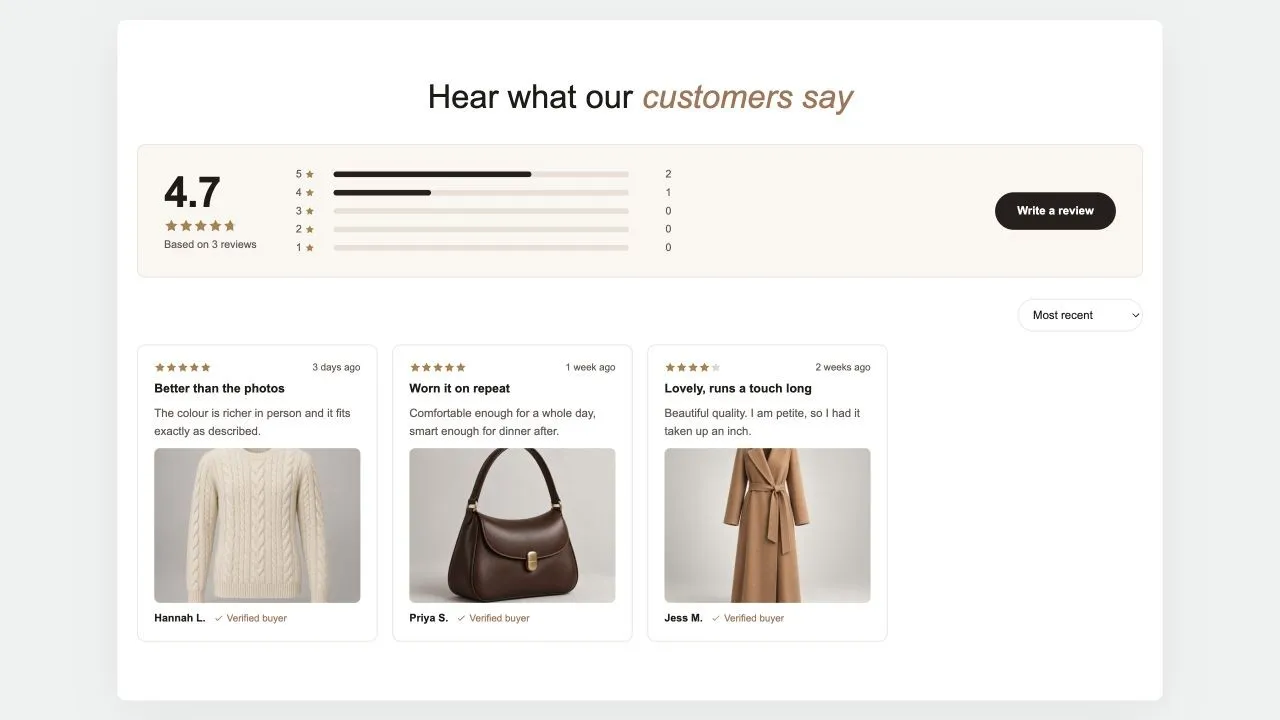 Free
Free Reviews Summary 1
Testimonials & Reviews
A reviews page in one section: the average and how many reviews it rests on, a bar for each star, a button to write one, then the reviews in a masonry wall with a sort menu and a Load more button. The summary is worked out from the reviews added here, or typed in when the real numbers live in another app.
View section →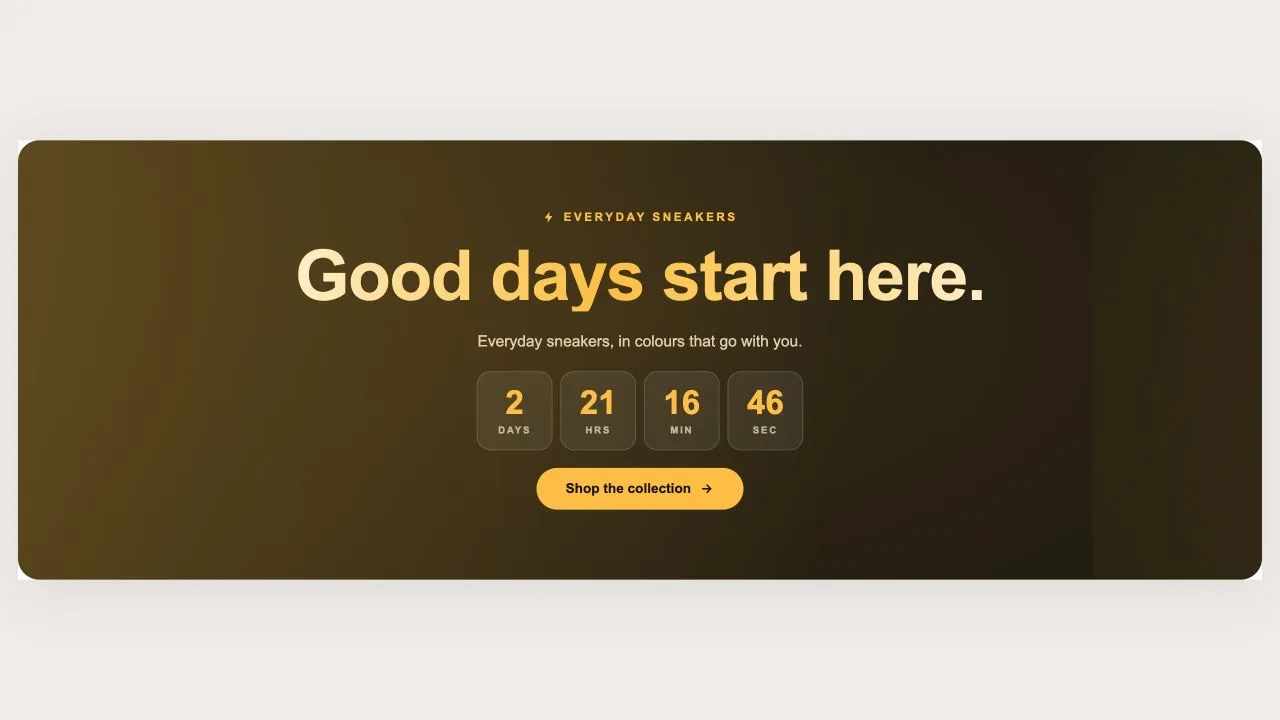 Free
Free Countdown Drop 1
Countdown Timers
A holographic banner for a launch or a restock, running either as a countdown to a scheduled drop or as a pulsing live badge for one already open. The drop name is rendered as a holographic wordmark with a plain-colour fallback, so it is never invisible on an older browser.
View section →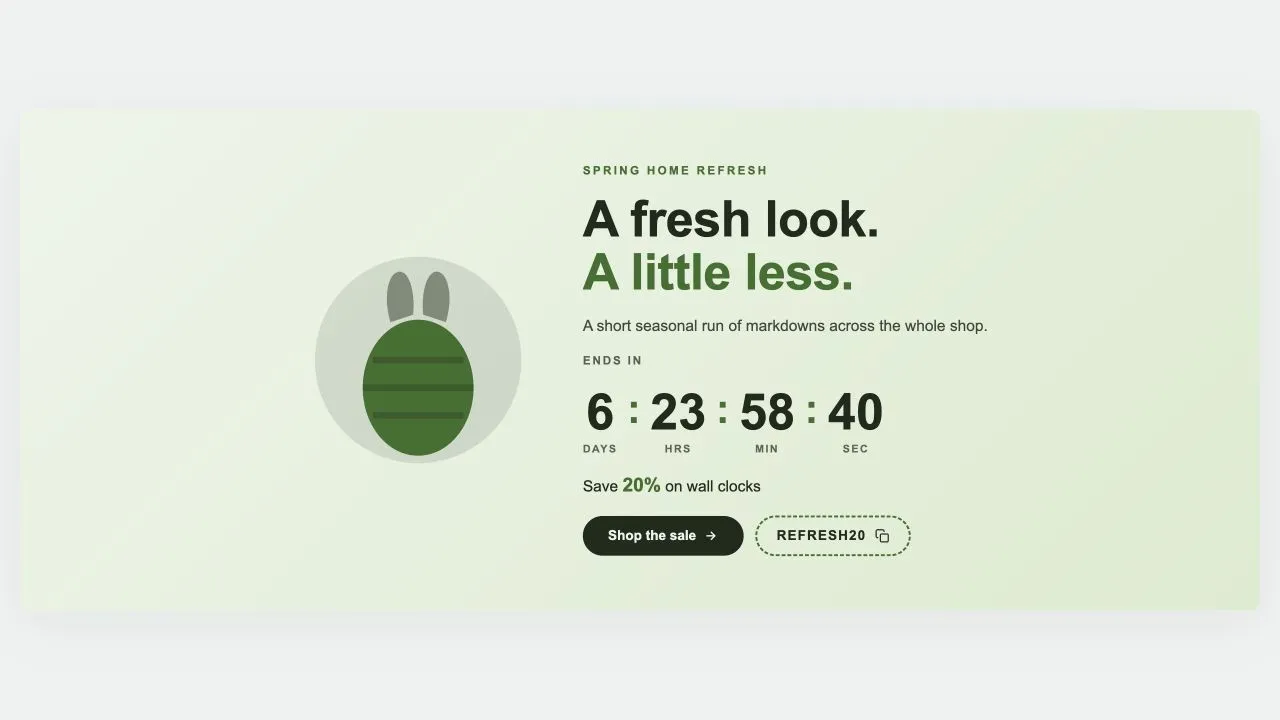 Free
Free Countdown Sale 5
Countdown Timers
A seasonal sale band with an illustration beside the wording: pick Easter, Mother's Day, Summer, Launch day or Lunar New Year and the artwork changes while everything else stays put. Every season is drawn inline in the band's own two colours, so switching costs no extra request and can never clash. Ships with five ready-made presets.
View section →Tip for Shrine: Shrine stores all look alike — swapping in Section Shop testimonial and comparison layouts is the cheapest way to stand out while keeping the CRO structure.
How to add them to Shrine
- 1
Install Section Shop
Free from the Shopify App Store. Your Shrine setup is untouched.
- 2
Add the sections you need
Browse the library in the app and click Add — the section lands in your theme as a native file.
- 3
Customize in the editor
Open the Shrine theme editor — the new sections are in the picker, inheriting your fonts.
All 164 Shrine integration guides
One step-by-step guide per section — how it installs on Shrine, why it fits, and what to customize first.
Shoppable Video & Stories
- How to add Shoppable Stories to Shrine
- How to add Video Quick Shop to Shrine
- How to add Shoppable Slider to Shrine
- How to add Social Posts to Shrine
- How to add Social Reels to Shrine
- How to add Shoppable Reels to Shrine
- How to add Shoppable Video to Shrine
- How to add Video Stories to Shrine
- How to add Video Testimonials to Shrine
Collection Showcases
- How to add Collection Grid to Shrine
- How to add Shop Collections 7 to Shrine
- How to add Shop Collections 6 to Shrine
- How to add Shop Collections 1 to Shrine
- How to add Shop Collections 4 to Shrine
- How to add Shop Collections 5 to Shrine
- How to add Shop Collections 2 to Shrine
- How to add Shop Collections 3 to Shrine
- How to add Collection Circles to Shrine
Headers & Navigation
Hero & Banners
- How to add Newsletter Band 1 to Shrine
- How to add Coverflow 2 to Shrine
- How to add Coverflow 1 to Shrine
- How to add Slideshow 4 to Shrine
- How to add Slideshow 3 to Shrine
- How to add Slideshow 2 to Shrine
- How to add Slideshow 1 to Shrine
- How to add Hero Slider 1 to Shrine
- How to add Hero Review 2 to Shrine
- How to add Hero Review 1 to Shrine
- How to add Hero Stats 1 to Shrine
- How to add Hero Split 3 to Shrine
- How to add Hero Split 2 to Shrine
- How to add Hero Split 1 to Shrine
- How to add Hero Grid 1 to Shrine
- How to add Hero Image 3 to Shrine
- How to add Hero Image 2 to Shrine
- How to add Hero Image 1 to Shrine
- How to add Study Slider to Shrine
- How to add Hero 9 Banner to Shrine
- How to add Image Templates Banner to Shrine
- How to add Rotating Carousel Banner to Shrine
- How to add Split Content Banner to Shrine
- How to add Hero Banner to Shrine
- How to add Minimal Text Banner to Shrine
- How to add Gradient Overlay Banner to Shrine
- How to add Stacked Promotion Banner to Shrine
Image with Text
- How to add Stat Rings 1 to Shrine
- How to add Guarantee Band 1 to Shrine
- How to add Ingredient Tabs to Shrine
- How to add Selling Points to Shrine
- How to add Feature Rows to Shrine
- How to add Media Specs to Shrine
- How to add Editorial Story to Shrine
- How to add Image Text Benefits to Shrine
- How to add Image With Text Premium to Shrine
- How to add Image Text Zigzag to Shrine
- How to add Image Text Cards to Shrine
- How to add Image Text Overlay to Shrine
- How to add Image Text Split to Shrine
- How to add Designed with an Edge to Shrine
- How to add Explore Our Gallery to Shrine
Announcement Bars
- How to add Marquee 4 to Shrine
- How to add Marquee 3 to Shrine
- How to add Marquee 2 to Shrine
- How to add Marquee 1 to Shrine
- How to add Announcement Bar 5 to Shrine
- How to add Announcement Bar 4 to Shrine
- How to add Announcement Bar 3 to Shrine
- How to add Announcement Bar 2 to Shrine
- How to add Announcement Bar 1 to Shrine
- How to add 3D Flip Rotator to Shrine
- How to add Stock Ticker Pro to Shrine
- How to add Urgency Split Bar to Shrine
- How to add Neon Glow Marquee to Shrine
- How to add Gradient Marquee to Shrine
Countdown Timers
- How to add Countdown Drop 1 to Shrine
- How to add Countdown Sale 5 to Shrine
- How to add Countdown Sale 4 to Shrine
- How to add Countdown Sale 3 to Shrine
- How to add Countdown Sale 2 to Shrine
- How to add Countdown Sale 1 to Shrine
- How to add Countdown Media 1 to Shrine
- How to add Countdown Split 1 to Shrine
- How to add Countdown Hero 2 to Shrine
- How to add Countdown Bar 1 to Shrine
- How to add Countdown Product Launch to Shrine
- How to add Countdown Minimal to Shrine
- How to add Countdown Boxed to Shrine
- How to add Countdown Hero to Shrine
- How to add Countdown Banner to Shrine
Comparison Tables
- How to add Comparison Table 1 to Shrine
- How to add Product Comparison Table to Shrine
- How to add Dual Flow Comparison to Shrine
- How to add Competitor Comparison to Shrine
- How to add Before After Table to Shrine
- How to add Feature Comparison to Shrine
- How to add Pricing Table to Shrine
- How to add After Before Slider to Shrine
- How to add Discover the Difference to Shrine
FAQ Sections
Feature Highlights
Product Showcases
- How to add Product Callouts 1 to Shrine
- How to add Product Tiles 1 to Shrine
- How to add Product Banner 2 to Shrine
- How to add Product Banner 1 to Shrine
- How to add Product Slider 11 to Shrine
- How to add Product Slider 10 to Shrine
- How to add Product Slider 9 to Shrine
- How to add Product Slider 8 to Shrine
- How to add Product Slider 7 to Shrine
- How to add Product Grid 6 to Shrine
- How to add Product Grid 5 to Shrine
- How to add Product Grid 4 to Shrine
- How to add Product Story 1 to Shrine
- How to add Product Slider 6 to Shrine
- How to add Product Slider 5 to Shrine
- How to add Product Slider 4 to Shrine
- How to add Product Slider 3 to Shrine
- How to add Product Slider 2 to Shrine
- How to add Product Slider 1 to Shrine
- How to add Product Grid 3 to Shrine
- How to add Product Grid 2 to Shrine
- How to add Product Grid 1 to Shrine
- How to add Shop The Look 5 to Shrine
- How to add Shop The Look 4 to Shrine
- How to add Shop The Look 3 to Shrine
- How to add Shop The Look 2 to Shrine
- How to add Shop The Look 1 to Shrine
- How to add Product Ingredients to Shrine
- How to add Product Bundle to Shrine
- How to add Product Specifications to Shrine
- How to add Product Gallery to Shrine
- How to add Product Features to Shrine
Testimonials & Reviews
- How to add Review Cards 1 to Shrine
- How to add Reviews Summary 1 to Shrine
- How to add Photo Reviews 1 to Shrine
- How to add Media Proof to Shrine
- How to add Testimonial Spotlight to Shrine
- How to add Reviews Marquee to Shrine
- How to add Reviews Wall to Shrine
- How to add Testimonials Grid to Shrine
- How to add Testimonials Carousel to Shrine
Content & Extras
Shrine + Section Shop, in short
Does Section Shop work with the Shrine theme?
Yes. Shrine is an Online Store 2.0 theme, and Section Shop sections install as native OS 2.0 sections through Shopify's official theme API — the same mechanism Shrine's own sections use.
Will added sections match Shrine's design?
By default every Section Shop section inherits your theme's fonts, so it picks up Shrine's typography automatically. Colors, spacing and content are all editable in the theme editor.
Do I need to edit Shrine's code?
No. You install the app, click Add on a section, and it appears in your theme editor ready to customize. No Liquid, no CSS, no theme duplication required.